Notion Ecommerce: How to Run and Scale Your Dropshipping Business in One Workspace
Dropshipping Automation Software
Author:
November 30, 2025
Contents
To manage your online store easily, quickly, and in one place, use Notion Ecommerce. With this powerful dropshipping automation tool, you can run your entire business products, orders, customers, marketing, and finances from a single dashboard. No more juggling scattered tools. Notion becomes your complete management system. It helps you organize your operations, automate repetitive tasks, and track your performance in real time.
But how exactly does it work? Let’s dive in.
What Is Notion Ecommerce and Why Does It Matter for Dropshippers?

Notion Ecommerce isn’t just a stylish note-taking app. It’s a fully customizable management system built to centralize every aspect of your store without coding or third-party chaos.
Notion: More Than Just a Productivity Tool
At its core, Notion is a workspace for notes and project management. But that’s only scratching the surface in reality, it works as a OS no-code business operating system. With this all-in-one platform, you can design a personalized ecommerce dashboard where you organize ideas, manage operations, and even run your entire company from one workspace.
Inside Notion, you can access:
Robust, relational databases
Linked pages that communicate with each other
Multiple custom views (list, calendar, Kanban, gallery, etc.)
No coding skills required. Everything is modular and flexible, which is exactly what makes Notion such a powerful tool for ecommerce entrepreneurs and dropshippers.
Ecommerce + Dropshipping: The Perfect Match for Notion
In dropshipping, you juggle products, orders, suppliers, customers, campaigns, and finances, and keeping all that updated can quickly get chaotic. If you rely on the wrong tools, you’ll find yourself jumping between Trello, Google Sheets, Excel, Asana, and Airtable, losing time, information, and focus.
Notion solves this problem. With it, you centralize everything in one clean, intuitive dashboard to:
Save time
Automate key processes
Keep full control of your operations
That’s what Notion Ecommerce is all about, a fully customized, no-code ecommerce system built inside Notion, 100% tailored to your workflow.
To manage your online store easily, quickly, and in one place, use Notion Ecommerce. With this powerful dropshipping automation tool, you can run your entire business products, orders, customers, marketing, and finances from a single dashboard. No more juggling scattered tools. Notion becomes your complete management system. It helps you organize your operations, automate repetitive tasks, and track your performance in real time.
But how exactly does it work? Let’s dive in.
What Is Notion Ecommerce and Why Does It Matter for Dropshippers?
Notion Ecommerce isn’t just a stylish note-taking app. It’s a fully customizable management system built to centralize every aspect of your store without coding or third-party chaos.
Notion: More Than Just a Productivity Tool
At its core, Notion is a workspace for notes and project management. But that’s only scratching the surface in reality, it works as a OS no-code business operating system. With this all-in-one platform, you can design a personalized ecommerce dashboard where you organize ideas, manage operations, and even run your entire company from one workspace.
Inside Notion, you can access:
Robust, relational databases
Linked pages that communicate with each other
Multiple custom views (list, calendar, Kanban, gallery, etc.)
No coding skills required. Everything is modular and flexible, which is exactly what makes Notion such a powerful tool for ecommerce entrepreneurs and dropshippers.
Ecommerce + Dropshipping: The Perfect Match for Notion
In dropshipping, you juggle products, orders, suppliers, customers, campaigns, and finances, and keeping all that updated can quickly get chaotic. If you rely on the wrong tools, you’ll find yourself jumping between Trello, Google Sheets, Excel, Asana, and Airtable, losing time, information, and focus.
Notion solves this problem. With it, you centralize everything in one clean, intuitive dashboard to:
Save time
Automate key processes
Keep full control of your operations
That’s what Notion Ecommerce is all about, a fully customized, no-code ecommerce system built inside Notion, 100% tailored to your workflow.
To manage your online store easily, quickly, and in one place, use Notion Ecommerce. With this powerful dropshipping automation tool, you can run your entire business products, orders, customers, marketing, and finances from a single dashboard. No more juggling scattered tools. Notion becomes your complete management system. It helps you organize your operations, automate repetitive tasks, and track your performance in real time.
But how exactly does it work? Let’s dive in.
What Is Notion Ecommerce and Why Does It Matter for Dropshippers?
Notion Ecommerce isn’t just a stylish note-taking app. It’s a fully customizable management system built to centralize every aspect of your store without coding or third-party chaos.
Notion: More Than Just a Productivity Tool
At its core, Notion is a workspace for notes and project management. But that’s only scratching the surface in reality, it works as a OS no-code business operating system. With this all-in-one platform, you can design a personalized ecommerce dashboard where you organize ideas, manage operations, and even run your entire company from one workspace.
Inside Notion, you can access:
Robust, relational databases
Linked pages that communicate with each other
Multiple custom views (list, calendar, Kanban, gallery, etc.)
No coding skills required. Everything is modular and flexible, which is exactly what makes Notion such a powerful tool for ecommerce entrepreneurs and dropshippers.
Ecommerce + Dropshipping: The Perfect Match for Notion
In dropshipping, you juggle products, orders, suppliers, customers, campaigns, and finances, and keeping all that updated can quickly get chaotic. If you rely on the wrong tools, you’ll find yourself jumping between Trello, Google Sheets, Excel, Asana, and Airtable, losing time, information, and focus.
Notion solves this problem. With it, you centralize everything in one clean, intuitive dashboard to:
Save time
Automate key processes
Keep full control of your operations
That’s what Notion Ecommerce is all about, a fully customized, no-code ecommerce system built inside Notion, 100% tailored to your workflow.
To manage your online store easily, quickly, and in one place, use Notion Ecommerce. With this powerful dropshipping automation tool, you can run your entire business products, orders, customers, marketing, and finances from a single dashboard. No more juggling scattered tools. Notion becomes your complete management system. It helps you organize your operations, automate repetitive tasks, and track your performance in real time.
But how exactly does it work? Let’s dive in.
What Is Notion Ecommerce and Why Does It Matter for Dropshippers?
Notion Ecommerce isn’t just a stylish note-taking app. It’s a fully customizable management system built to centralize every aspect of your store without coding or third-party chaos.
Notion: More Than Just a Productivity Tool
At its core, Notion is a workspace for notes and project management. But that’s only scratching the surface in reality, it works as a OS no-code business operating system. With this all-in-one platform, you can design a personalized ecommerce dashboard where you organize ideas, manage operations, and even run your entire company from one workspace.
Inside Notion, you can access:
Robust, relational databases
Linked pages that communicate with each other
Multiple custom views (list, calendar, Kanban, gallery, etc.)
No coding skills required. Everything is modular and flexible, which is exactly what makes Notion such a powerful tool for ecommerce entrepreneurs and dropshippers.
Ecommerce + Dropshipping: The Perfect Match for Notion
In dropshipping, you juggle products, orders, suppliers, customers, campaigns, and finances, and keeping all that updated can quickly get chaotic. If you rely on the wrong tools, you’ll find yourself jumping between Trello, Google Sheets, Excel, Asana, and Airtable, losing time, information, and focus.
Notion solves this problem. With it, you centralize everything in one clean, intuitive dashboard to:
Save time
Automate key processes
Keep full control of your operations
That’s what Notion Ecommerce is all about, a fully customized, no-code ecommerce system built inside Notion, 100% tailored to your workflow.
To manage your online store easily, quickly, and in one place, use Notion Ecommerce. With this powerful dropshipping automation tool, you can run your entire business products, orders, customers, marketing, and finances from a single dashboard. No more juggling scattered tools. Notion becomes your complete management system. It helps you organize your operations, automate repetitive tasks, and track your performance in real time.
But how exactly does it work? Let’s dive in.
What Is Notion Ecommerce and Why Does It Matter for Dropshippers?
Notion Ecommerce isn’t just a stylish note-taking app. It’s a fully customizable management system built to centralize every aspect of your store without coding or third-party chaos.
Notion: More Than Just a Productivity Tool
At its core, Notion is a workspace for notes and project management. But that’s only scratching the surface in reality, it works as a OS no-code business operating system. With this all-in-one platform, you can design a personalized ecommerce dashboard where you organize ideas, manage operations, and even run your entire company from one workspace.
Inside Notion, you can access:
Robust, relational databases
Linked pages that communicate with each other
Multiple custom views (list, calendar, Kanban, gallery, etc.)
No coding skills required. Everything is modular and flexible, which is exactly what makes Notion such a powerful tool for ecommerce entrepreneurs and dropshippers.
Ecommerce + Dropshipping: The Perfect Match for Notion
In dropshipping, you juggle products, orders, suppliers, customers, campaigns, and finances, and keeping all that updated can quickly get chaotic. If you rely on the wrong tools, you’ll find yourself jumping between Trello, Google Sheets, Excel, Asana, and Airtable, losing time, information, and focus.
Notion solves this problem. With it, you centralize everything in one clean, intuitive dashboard to:
Save time
Automate key processes
Keep full control of your operations
That’s what Notion Ecommerce is all about, a fully customized, no-code ecommerce system built inside Notion, 100% tailored to your workflow.
To manage your online store easily, quickly, and in one place, use Notion Ecommerce. With this powerful dropshipping automation tool, you can run your entire business products, orders, customers, marketing, and finances from a single dashboard. No more juggling scattered tools. Notion becomes your complete management system. It helps you organize your operations, automate repetitive tasks, and track your performance in real time.
But how exactly does it work? Let’s dive in.
What Is Notion Ecommerce and Why Does It Matter for Dropshippers?
Notion Ecommerce isn’t just a stylish note-taking app. It’s a fully customizable management system built to centralize every aspect of your store without coding or third-party chaos.
Notion: More Than Just a Productivity Tool
At its core, Notion is a workspace for notes and project management. But that’s only scratching the surface in reality, it works as a OS no-code business operating system. With this all-in-one platform, you can design a personalized ecommerce dashboard where you organize ideas, manage operations, and even run your entire company from one workspace.
Inside Notion, you can access:
Robust, relational databases
Linked pages that communicate with each other
Multiple custom views (list, calendar, Kanban, gallery, etc.)
No coding skills required. Everything is modular and flexible, which is exactly what makes Notion such a powerful tool for ecommerce entrepreneurs and dropshippers.
Ecommerce + Dropshipping: The Perfect Match for Notion
In dropshipping, you juggle products, orders, suppliers, customers, campaigns, and finances, and keeping all that updated can quickly get chaotic. If you rely on the wrong tools, you’ll find yourself jumping between Trello, Google Sheets, Excel, Asana, and Airtable, losing time, information, and focus.
Notion solves this problem. With it, you centralize everything in one clean, intuitive dashboard to:
Save time
Automate key processes
Keep full control of your operations
That’s what Notion Ecommerce is all about, a fully customized, no-code ecommerce system built inside Notion, 100% tailored to your workflow.

Take a Shortcut
Intensive coaching, $1,000/day guaranteed or your money back

Take a Shortcut
Intensive coaching, $1,000/day guaranteed or your money back
Take a Shortcut
Intensive coaching, $1,000/day guaranteed or your money back
Take a Shortcut
Intensive coaching, $1,000/day guaranteed or your money back
Take a Shortcut
Intensive coaching, $1,000/day guaranteed or your money back
Take a Shortcut
Intensive coaching, $1,000/day guaranteed or your money back
Key Benefits of Using Notion for Your Dropshipping Business

Notion has become a favorite among ecommerce teams and for good reason.
A Centralized Workspace to Manage Everything
Still using ten different tools to run your store? It’s time to simplify. With a Notion ecommerce store template, you can centralize all your data in one workspace. One dashboard is enough to track:
Orders
Inventory
Suppliers
Marketing campaigns
You can visualize your data in multiple views: Kanban for orders, calendar for content planning, gallery for product sheets. This saves time, eliminates human error, and lets you focus on what matters most: selling.
Personalization and Scalability
Every business is unique and that’s where Notion for ecommerce shines. Using ecommerce Notion templates, you can build a workspace that grows with your store. Start small and expand as you scale.
You can modify every database property (price, profit margin, deadline, stock status), create dynamic relationships between pages, and design custom dashboards. Need more power? Connect Notion with automation tools like Zapier or Shopify to add advanced functionality.
Notion is a scalable ecommerce management tool perfect for every stage of your business, from your first product to your first 1,000 orders.
Huge Time Savings and Productivity Boost
With Notion, everything lives in one place your customers (CRM), tasks, finances, and marketing analytics. A solid Notion ecommerce template eliminates messy spreadsheets, forgotten reminders, and endless copy-pasting.
You’ll work faster and smarter using pre-built systems designed to automate the boring stuff so you can focus on growth. Speed is a competitive advantage, and Notion gives you that without sacrificing organization or control.
The Best Notion Ecommerce Templates for Dropshipping in 2025
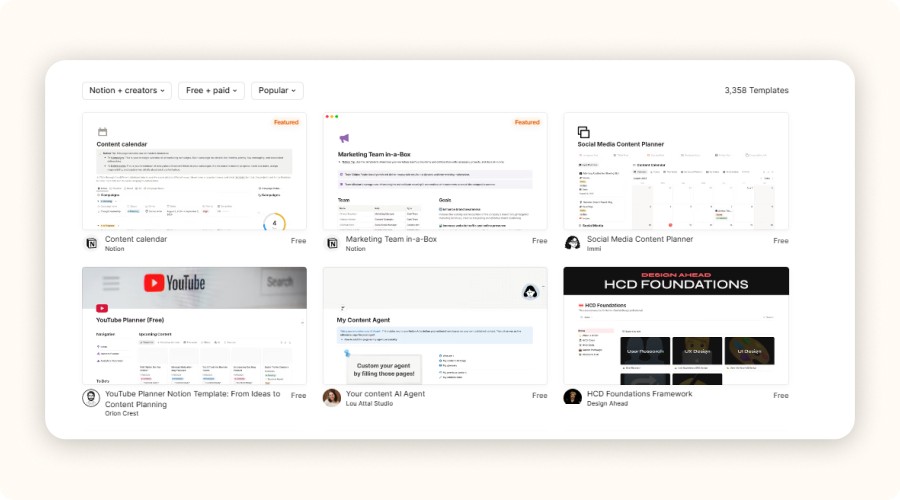
To save time and structure your store efficiently, choosing the right Notion ecommerce template is essential. A good template doesn’t just organize your workflow, it helps you manage operations, save time, and scale faster.
Focus on the 10 best Notion Ecommerce templates for dropshipping
Here’s a look at the 10 best Notion ecommerce templates for dropshipping in 2025.
1. Notion Ecommerce Business KIT: A complete toolkit to manage your entire store CRM, orders, inventory, finances, and marketing in one place. It includes 30+ ready-to-use templates, perfect for building your business from day one.
2. Ecommerce Dashboard by Alvus: A simple, functional dashboard for tracking sales, inventory, customers, and team tasks. Ideal for beginners who want clarity and ease of use.
3. Notion E-commerce Hub by Temply: Designed for advanced users, this system automates orders, integrates CRM and financials, and helps manage campaigns. Perfect for stores with higher volume and complex workflows.
4. Print on Demand Store OS: Tailored for print-on-demand sellers. Includes an Instagram content planner, Facebook ads funnel, product catalog, and financial tracking.
5. Digital Products Store Manager: Made for digital creators, ebook authors, template designers, and course sellers. Helps track sales, manage product ideas, and organize your catalog.
6. Dropshipping Business Kit by BizBlueprint: Built specifically for dropshippers. Includes CRM, marketing funnels, task tracking, campaign management, and monthly KPI monitoring.
7. Ecommerce OS by SayfSpot: A simple, efficient management system for small stores. Lets you track clients, analytics, projects, and campaigns, perfect for solo entrepreneurs.
8. Essential Checklist Ecommerce Website: An all-in-one checklist for building or optimizing your ecommerce site. Includes SEO steps, sales funnel setup, product page guidance, pop-ups, and newsletter tips.
9. Notion Store Manager (Free): A free Notion ecommerce template that manages your inventory, orders, clients, and daily tasks from one board. Ideal for dropshipping beginners or small-budget stores.
10. E-commerce Template UI Kit: A design-oriented kit with 70+ web components to create a modern, responsive, and SEO-friendly store layout. Perfect for digital sellers or creative brands.
Template Name | Price | Best For | Key Features |
|---|---|---|---|
Notion Ecommerce Business KIT | $55 | All levels, full setup | 30+ templates: CRM, inventory, orders, finances, marketing |
Ecommerce Dashboard by Alvus | Free | Beginners | Sales tracking, stock, CRM, team tasks |
Notion E-commerce Hub by Temply | $69 | Advanced automation | Orders, CRM, finances, campaigns |
Print on Demand Store OS | $49 | POD sellers, visual creators | Product catalog, IG planner, Facebook Ads |
Digital Products Store Manager | Free | Digital product creators | Sales tracker, CRM, idea manager |
Dropshipping Business Kit by BizBlueprint | $30 | Multi-product dropshipping | Funnel, campaigns, CRM, KPI reports |
Ecommerce OS by SayfSpot | $25 | Small ecommerce stores | Client tracking, analytics, marketing |
Essential Checklist Ecommerce Website | Free | Store creation or redesign | SEO, sales funnel, email setup |
Notion Store Manager (Free) | Free | Dropshipping starters | Inventory + customer tracking |
E-commerce Template UI Kit | $39 | Digital sellers, designers | 70+ UI components, responsive layout |
Where to Find the Best Notion Ecommerce Templates
To find Notion ecommerce templates, explore the official Notion Template Gallery directly from your workspace. You can also browse platforms like Notionway, Temply, or Gumroad, which offer curated templates for online stores and dropshipping.
Most templates are designed by real entrepreneurs who have tested them in live businesses. Some are free, while others are paid. You can also discover hidden gems shared by Notion creators on Twitter, Reddit, or in ecommerce newsletters. Instead of wasting time exploring dozens of options, focus on templates that fit your business model and workflow.
How to Choose the Right Template for Your Dropshipping Model
The right Notion ecommerce store template depends on your store type:
Niche store: Choose a lightweight, specialized template with a clean product database, strong CRM, and targeted marketing tracker.
General store: Go for a robust system with multi-category support, filters, and task automation.
Print-on-demand store: Pick a template that includes Instagram content planning, media assets, and product variation tracking.
AliExpress-based store: Use a workspace that tracks suppliers, delivery times, order statuses, and costs effectively.
One-product store: Keep it simple. A compact dashboard with sales tracking and ad metrics is enough.
Multi-product store: Choose a full Notion ecommerce system with inventory management, Kanban views, and automation integrations.
Each template serves a different stage of your journey from launching your first dropshipping store to scaling operations efficiently.
Key Benefits of Using Notion for Your Dropshipping Business
Notion has become a favorite among ecommerce teams and for good reason.
A Centralized Workspace to Manage Everything
Still using ten different tools to run your store? It’s time to simplify. With a Notion ecommerce store template, you can centralize all your data in one workspace. One dashboard is enough to track:
Orders
Inventory
Suppliers
Marketing campaigns
You can visualize your data in multiple views: Kanban for orders, calendar for content planning, gallery for product sheets. This saves time, eliminates human error, and lets you focus on what matters most: selling.
Personalization and Scalability
Every business is unique and that’s where Notion for ecommerce shines. Using ecommerce Notion templates, you can build a workspace that grows with your store. Start small and expand as you scale.
You can modify every database property (price, profit margin, deadline, stock status), create dynamic relationships between pages, and design custom dashboards. Need more power? Connect Notion with automation tools like Zapier or Shopify to add advanced functionality.
Notion is a scalable ecommerce management tool perfect for every stage of your business, from your first product to your first 1,000 orders.
Huge Time Savings and Productivity Boost
With Notion, everything lives in one place your customers (CRM), tasks, finances, and marketing analytics. A solid Notion ecommerce template eliminates messy spreadsheets, forgotten reminders, and endless copy-pasting.
You’ll work faster and smarter using pre-built systems designed to automate the boring stuff so you can focus on growth. Speed is a competitive advantage, and Notion gives you that without sacrificing organization or control.
The Best Notion Ecommerce Templates for Dropshipping in 2025
To save time and structure your store efficiently, choosing the right Notion ecommerce template is essential. A good template doesn’t just organize your workflow, it helps you manage operations, save time, and scale faster.
Focus on the 10 best Notion Ecommerce templates for dropshipping
Here’s a look at the 10 best Notion ecommerce templates for dropshipping in 2025.
1. Notion Ecommerce Business KIT: A complete toolkit to manage your entire store CRM, orders, inventory, finances, and marketing in one place. It includes 30+ ready-to-use templates, perfect for building your business from day one.
2. Ecommerce Dashboard by Alvus: A simple, functional dashboard for tracking sales, inventory, customers, and team tasks. Ideal for beginners who want clarity and ease of use.
3. Notion E-commerce Hub by Temply: Designed for advanced users, this system automates orders, integrates CRM and financials, and helps manage campaigns. Perfect for stores with higher volume and complex workflows.
4. Print on Demand Store OS: Tailored for print-on-demand sellers. Includes an Instagram content planner, Facebook ads funnel, product catalog, and financial tracking.
5. Digital Products Store Manager: Made for digital creators, ebook authors, template designers, and course sellers. Helps track sales, manage product ideas, and organize your catalog.
6. Dropshipping Business Kit by BizBlueprint: Built specifically for dropshippers. Includes CRM, marketing funnels, task tracking, campaign management, and monthly KPI monitoring.
7. Ecommerce OS by SayfSpot: A simple, efficient management system for small stores. Lets you track clients, analytics, projects, and campaigns, perfect for solo entrepreneurs.
8. Essential Checklist Ecommerce Website: An all-in-one checklist for building or optimizing your ecommerce site. Includes SEO steps, sales funnel setup, product page guidance, pop-ups, and newsletter tips.
9. Notion Store Manager (Free): A free Notion ecommerce template that manages your inventory, orders, clients, and daily tasks from one board. Ideal for dropshipping beginners or small-budget stores.
10. E-commerce Template UI Kit: A design-oriented kit with 70+ web components to create a modern, responsive, and SEO-friendly store layout. Perfect for digital sellers or creative brands.
Template Name | Price | Best For | Key Features |
|---|---|---|---|
Notion Ecommerce Business KIT | $55 | All levels, full setup | 30+ templates: CRM, inventory, orders, finances, marketing |
Ecommerce Dashboard by Alvus | Free | Beginners | Sales tracking, stock, CRM, team tasks |
Notion E-commerce Hub by Temply | $69 | Advanced automation | Orders, CRM, finances, campaigns |
Print on Demand Store OS | $49 | POD sellers, visual creators | Product catalog, IG planner, Facebook Ads |
Digital Products Store Manager | Free | Digital product creators | Sales tracker, CRM, idea manager |
Dropshipping Business Kit by BizBlueprint | $30 | Multi-product dropshipping | Funnel, campaigns, CRM, KPI reports |
Ecommerce OS by SayfSpot | $25 | Small ecommerce stores | Client tracking, analytics, marketing |
Essential Checklist Ecommerce Website | Free | Store creation or redesign | SEO, sales funnel, email setup |
Notion Store Manager (Free) | Free | Dropshipping starters | Inventory + customer tracking |
E-commerce Template UI Kit | $39 | Digital sellers, designers | 70+ UI components, responsive layout |
Where to Find the Best Notion Ecommerce Templates
To find Notion ecommerce templates, explore the official Notion Template Gallery directly from your workspace. You can also browse platforms like Notionway, Temply, or Gumroad, which offer curated templates for online stores and dropshipping.
Most templates are designed by real entrepreneurs who have tested them in live businesses. Some are free, while others are paid. You can also discover hidden gems shared by Notion creators on Twitter, Reddit, or in ecommerce newsletters. Instead of wasting time exploring dozens of options, focus on templates that fit your business model and workflow.
How to Choose the Right Template for Your Dropshipping Model
The right Notion ecommerce store template depends on your store type:
Niche store: Choose a lightweight, specialized template with a clean product database, strong CRM, and targeted marketing tracker.
General store: Go for a robust system with multi-category support, filters, and task automation.
Print-on-demand store: Pick a template that includes Instagram content planning, media assets, and product variation tracking.
AliExpress-based store: Use a workspace that tracks suppliers, delivery times, order statuses, and costs effectively.
One-product store: Keep it simple. A compact dashboard with sales tracking and ad metrics is enough.
Multi-product store: Choose a full Notion ecommerce system with inventory management, Kanban views, and automation integrations.
Each template serves a different stage of your journey from launching your first dropshipping store to scaling operations efficiently.
Key Benefits of Using Notion for Your Dropshipping Business
Notion has become a favorite among ecommerce teams and for good reason.
A Centralized Workspace to Manage Everything
Still using ten different tools to run your store? It’s time to simplify. With a Notion ecommerce store template, you can centralize all your data in one workspace. One dashboard is enough to track:
Orders
Inventory
Suppliers
Marketing campaigns
You can visualize your data in multiple views: Kanban for orders, calendar for content planning, gallery for product sheets. This saves time, eliminates human error, and lets you focus on what matters most: selling.
Personalization and Scalability
Every business is unique and that’s where Notion for ecommerce shines. Using ecommerce Notion templates, you can build a workspace that grows with your store. Start small and expand as you scale.
You can modify every database property (price, profit margin, deadline, stock status), create dynamic relationships between pages, and design custom dashboards. Need more power? Connect Notion with automation tools like Zapier or Shopify to add advanced functionality.
Notion is a scalable ecommerce management tool perfect for every stage of your business, from your first product to your first 1,000 orders.
Huge Time Savings and Productivity Boost
With Notion, everything lives in one place your customers (CRM), tasks, finances, and marketing analytics. A solid Notion ecommerce template eliminates messy spreadsheets, forgotten reminders, and endless copy-pasting.
You’ll work faster and smarter using pre-built systems designed to automate the boring stuff so you can focus on growth. Speed is a competitive advantage, and Notion gives you that without sacrificing organization or control.
The Best Notion Ecommerce Templates for Dropshipping in 2025
To save time and structure your store efficiently, choosing the right Notion ecommerce template is essential. A good template doesn’t just organize your workflow, it helps you manage operations, save time, and scale faster.
Focus on the 10 best Notion Ecommerce templates for dropshipping
Here’s a look at the 10 best Notion ecommerce templates for dropshipping in 2025.
1. Notion Ecommerce Business KIT: A complete toolkit to manage your entire store CRM, orders, inventory, finances, and marketing in one place. It includes 30+ ready-to-use templates, perfect for building your business from day one.
2. Ecommerce Dashboard by Alvus: A simple, functional dashboard for tracking sales, inventory, customers, and team tasks. Ideal for beginners who want clarity and ease of use.
3. Notion E-commerce Hub by Temply: Designed for advanced users, this system automates orders, integrates CRM and financials, and helps manage campaigns. Perfect for stores with higher volume and complex workflows.
4. Print on Demand Store OS: Tailored for print-on-demand sellers. Includes an Instagram content planner, Facebook ads funnel, product catalog, and financial tracking.
5. Digital Products Store Manager: Made for digital creators, ebook authors, template designers, and course sellers. Helps track sales, manage product ideas, and organize your catalog.
6. Dropshipping Business Kit by BizBlueprint: Built specifically for dropshippers. Includes CRM, marketing funnels, task tracking, campaign management, and monthly KPI monitoring.
7. Ecommerce OS by SayfSpot: A simple, efficient management system for small stores. Lets you track clients, analytics, projects, and campaigns, perfect for solo entrepreneurs.
8. Essential Checklist Ecommerce Website: An all-in-one checklist for building or optimizing your ecommerce site. Includes SEO steps, sales funnel setup, product page guidance, pop-ups, and newsletter tips.
9. Notion Store Manager (Free): A free Notion ecommerce template that manages your inventory, orders, clients, and daily tasks from one board. Ideal for dropshipping beginners or small-budget stores.
10. E-commerce Template UI Kit: A design-oriented kit with 70+ web components to create a modern, responsive, and SEO-friendly store layout. Perfect for digital sellers or creative brands.
Template Name | Price | Best For | Key Features |
|---|---|---|---|
Notion Ecommerce Business KIT | $55 | All levels, full setup | 30+ templates: CRM, inventory, orders, finances, marketing |
Ecommerce Dashboard by Alvus | Free | Beginners | Sales tracking, stock, CRM, team tasks |
Notion E-commerce Hub by Temply | $69 | Advanced automation | Orders, CRM, finances, campaigns |
Print on Demand Store OS | $49 | POD sellers, visual creators | Product catalog, IG planner, Facebook Ads |
Digital Products Store Manager | Free | Digital product creators | Sales tracker, CRM, idea manager |
Dropshipping Business Kit by BizBlueprint | $30 | Multi-product dropshipping | Funnel, campaigns, CRM, KPI reports |
Ecommerce OS by SayfSpot | $25 | Small ecommerce stores | Client tracking, analytics, marketing |
Essential Checklist Ecommerce Website | Free | Store creation or redesign | SEO, sales funnel, email setup |
Notion Store Manager (Free) | Free | Dropshipping starters | Inventory + customer tracking |
E-commerce Template UI Kit | $39 | Digital sellers, designers | 70+ UI components, responsive layout |
Where to Find the Best Notion Ecommerce Templates
To find Notion ecommerce templates, explore the official Notion Template Gallery directly from your workspace. You can also browse platforms like Notionway, Temply, or Gumroad, which offer curated templates for online stores and dropshipping.
Most templates are designed by real entrepreneurs who have tested them in live businesses. Some are free, while others are paid. You can also discover hidden gems shared by Notion creators on Twitter, Reddit, or in ecommerce newsletters. Instead of wasting time exploring dozens of options, focus on templates that fit your business model and workflow.
How to Choose the Right Template for Your Dropshipping Model
The right Notion ecommerce store template depends on your store type:
Niche store: Choose a lightweight, specialized template with a clean product database, strong CRM, and targeted marketing tracker.
General store: Go for a robust system with multi-category support, filters, and task automation.
Print-on-demand store: Pick a template that includes Instagram content planning, media assets, and product variation tracking.
AliExpress-based store: Use a workspace that tracks suppliers, delivery times, order statuses, and costs effectively.
One-product store: Keep it simple. A compact dashboard with sales tracking and ad metrics is enough.
Multi-product store: Choose a full Notion ecommerce system with inventory management, Kanban views, and automation integrations.
Each template serves a different stage of your journey from launching your first dropshipping store to scaling operations efficiently.
Key Benefits of Using Notion for Your Dropshipping Business
Notion has become a favorite among ecommerce teams and for good reason.
A Centralized Workspace to Manage Everything
Still using ten different tools to run your store? It’s time to simplify. With a Notion ecommerce store template, you can centralize all your data in one workspace. One dashboard is enough to track:
Orders
Inventory
Suppliers
Marketing campaigns
You can visualize your data in multiple views: Kanban for orders, calendar for content planning, gallery for product sheets. This saves time, eliminates human error, and lets you focus on what matters most: selling.
Personalization and Scalability
Every business is unique and that’s where Notion for ecommerce shines. Using ecommerce Notion templates, you can build a workspace that grows with your store. Start small and expand as you scale.
You can modify every database property (price, profit margin, deadline, stock status), create dynamic relationships between pages, and design custom dashboards. Need more power? Connect Notion with automation tools like Zapier or Shopify to add advanced functionality.
Notion is a scalable ecommerce management tool perfect for every stage of your business, from your first product to your first 1,000 orders.
Huge Time Savings and Productivity Boost
With Notion, everything lives in one place your customers (CRM), tasks, finances, and marketing analytics. A solid Notion ecommerce template eliminates messy spreadsheets, forgotten reminders, and endless copy-pasting.
You’ll work faster and smarter using pre-built systems designed to automate the boring stuff so you can focus on growth. Speed is a competitive advantage, and Notion gives you that without sacrificing organization or control.
The Best Notion Ecommerce Templates for Dropshipping in 2025
To save time and structure your store efficiently, choosing the right Notion ecommerce template is essential. A good template doesn’t just organize your workflow, it helps you manage operations, save time, and scale faster.
Focus on the 10 best Notion Ecommerce templates for dropshipping
Here’s a look at the 10 best Notion ecommerce templates for dropshipping in 2025.
1. Notion Ecommerce Business KIT: A complete toolkit to manage your entire store CRM, orders, inventory, finances, and marketing in one place. It includes 30+ ready-to-use templates, perfect for building your business from day one.
2. Ecommerce Dashboard by Alvus: A simple, functional dashboard for tracking sales, inventory, customers, and team tasks. Ideal for beginners who want clarity and ease of use.
3. Notion E-commerce Hub by Temply: Designed for advanced users, this system automates orders, integrates CRM and financials, and helps manage campaigns. Perfect for stores with higher volume and complex workflows.
4. Print on Demand Store OS: Tailored for print-on-demand sellers. Includes an Instagram content planner, Facebook ads funnel, product catalog, and financial tracking.
5. Digital Products Store Manager: Made for digital creators, ebook authors, template designers, and course sellers. Helps track sales, manage product ideas, and organize your catalog.
6. Dropshipping Business Kit by BizBlueprint: Built specifically for dropshippers. Includes CRM, marketing funnels, task tracking, campaign management, and monthly KPI monitoring.
7. Ecommerce OS by SayfSpot: A simple, efficient management system for small stores. Lets you track clients, analytics, projects, and campaigns, perfect for solo entrepreneurs.
8. Essential Checklist Ecommerce Website: An all-in-one checklist for building or optimizing your ecommerce site. Includes SEO steps, sales funnel setup, product page guidance, pop-ups, and newsletter tips.
9. Notion Store Manager (Free): A free Notion ecommerce template that manages your inventory, orders, clients, and daily tasks from one board. Ideal for dropshipping beginners or small-budget stores.
10. E-commerce Template UI Kit: A design-oriented kit with 70+ web components to create a modern, responsive, and SEO-friendly store layout. Perfect for digital sellers or creative brands.
Template Name | Price | Best For | Key Features |
|---|---|---|---|
Notion Ecommerce Business KIT | $55 | All levels, full setup | 30+ templates: CRM, inventory, orders, finances, marketing |
Ecommerce Dashboard by Alvus | Free | Beginners | Sales tracking, stock, CRM, team tasks |
Notion E-commerce Hub by Temply | $69 | Advanced automation | Orders, CRM, finances, campaigns |
Print on Demand Store OS | $49 | POD sellers, visual creators | Product catalog, IG planner, Facebook Ads |
Digital Products Store Manager | Free | Digital product creators | Sales tracker, CRM, idea manager |
Dropshipping Business Kit by BizBlueprint | $30 | Multi-product dropshipping | Funnel, campaigns, CRM, KPI reports |
Ecommerce OS by SayfSpot | $25 | Small ecommerce stores | Client tracking, analytics, marketing |
Essential Checklist Ecommerce Website | Free | Store creation or redesign | SEO, sales funnel, email setup |
Notion Store Manager (Free) | Free | Dropshipping starters | Inventory + customer tracking |
E-commerce Template UI Kit | $39 | Digital sellers, designers | 70+ UI components, responsive layout |
Where to Find the Best Notion Ecommerce Templates
To find Notion ecommerce templates, explore the official Notion Template Gallery directly from your workspace. You can also browse platforms like Notionway, Temply, or Gumroad, which offer curated templates for online stores and dropshipping.
Most templates are designed by real entrepreneurs who have tested them in live businesses. Some are free, while others are paid. You can also discover hidden gems shared by Notion creators on Twitter, Reddit, or in ecommerce newsletters. Instead of wasting time exploring dozens of options, focus on templates that fit your business model and workflow.
How to Choose the Right Template for Your Dropshipping Model
The right Notion ecommerce store template depends on your store type:
Niche store: Choose a lightweight, specialized template with a clean product database, strong CRM, and targeted marketing tracker.
General store: Go for a robust system with multi-category support, filters, and task automation.
Print-on-demand store: Pick a template that includes Instagram content planning, media assets, and product variation tracking.
AliExpress-based store: Use a workspace that tracks suppliers, delivery times, order statuses, and costs effectively.
One-product store: Keep it simple. A compact dashboard with sales tracking and ad metrics is enough.
Multi-product store: Choose a full Notion ecommerce system with inventory management, Kanban views, and automation integrations.
Each template serves a different stage of your journey from launching your first dropshipping store to scaling operations efficiently.
Key Benefits of Using Notion for Your Dropshipping Business
Notion has become a favorite among ecommerce teams and for good reason.
A Centralized Workspace to Manage Everything
Still using ten different tools to run your store? It’s time to simplify. With a Notion ecommerce store template, you can centralize all your data in one workspace. One dashboard is enough to track:
Orders
Inventory
Suppliers
Marketing campaigns
You can visualize your data in multiple views: Kanban for orders, calendar for content planning, gallery for product sheets. This saves time, eliminates human error, and lets you focus on what matters most: selling.
Personalization and Scalability
Every business is unique and that’s where Notion for ecommerce shines. Using ecommerce Notion templates, you can build a workspace that grows with your store. Start small and expand as you scale.
You can modify every database property (price, profit margin, deadline, stock status), create dynamic relationships between pages, and design custom dashboards. Need more power? Connect Notion with automation tools like Zapier or Shopify to add advanced functionality.
Notion is a scalable ecommerce management tool perfect for every stage of your business, from your first product to your first 1,000 orders.
Huge Time Savings and Productivity Boost
With Notion, everything lives in one place your customers (CRM), tasks, finances, and marketing analytics. A solid Notion ecommerce template eliminates messy spreadsheets, forgotten reminders, and endless copy-pasting.
You’ll work faster and smarter using pre-built systems designed to automate the boring stuff so you can focus on growth. Speed is a competitive advantage, and Notion gives you that without sacrificing organization or control.
The Best Notion Ecommerce Templates for Dropshipping in 2025
To save time and structure your store efficiently, choosing the right Notion ecommerce template is essential. A good template doesn’t just organize your workflow, it helps you manage operations, save time, and scale faster.
Focus on the 10 best Notion Ecommerce templates for dropshipping
Here’s a look at the 10 best Notion ecommerce templates for dropshipping in 2025.
1. Notion Ecommerce Business KIT: A complete toolkit to manage your entire store CRM, orders, inventory, finances, and marketing in one place. It includes 30+ ready-to-use templates, perfect for building your business from day one.
2. Ecommerce Dashboard by Alvus: A simple, functional dashboard for tracking sales, inventory, customers, and team tasks. Ideal for beginners who want clarity and ease of use.
3. Notion E-commerce Hub by Temply: Designed for advanced users, this system automates orders, integrates CRM and financials, and helps manage campaigns. Perfect for stores with higher volume and complex workflows.
4. Print on Demand Store OS: Tailored for print-on-demand sellers. Includes an Instagram content planner, Facebook ads funnel, product catalog, and financial tracking.
5. Digital Products Store Manager: Made for digital creators, ebook authors, template designers, and course sellers. Helps track sales, manage product ideas, and organize your catalog.
6. Dropshipping Business Kit by BizBlueprint: Built specifically for dropshippers. Includes CRM, marketing funnels, task tracking, campaign management, and monthly KPI monitoring.
7. Ecommerce OS by SayfSpot: A simple, efficient management system for small stores. Lets you track clients, analytics, projects, and campaigns, perfect for solo entrepreneurs.
8. Essential Checklist Ecommerce Website: An all-in-one checklist for building or optimizing your ecommerce site. Includes SEO steps, sales funnel setup, product page guidance, pop-ups, and newsletter tips.
9. Notion Store Manager (Free): A free Notion ecommerce template that manages your inventory, orders, clients, and daily tasks from one board. Ideal for dropshipping beginners or small-budget stores.
10. E-commerce Template UI Kit: A design-oriented kit with 70+ web components to create a modern, responsive, and SEO-friendly store layout. Perfect for digital sellers or creative brands.
Template Name | Price | Best For | Key Features |
|---|---|---|---|
Notion Ecommerce Business KIT | $55 | All levels, full setup | 30+ templates: CRM, inventory, orders, finances, marketing |
Ecommerce Dashboard by Alvus | Free | Beginners | Sales tracking, stock, CRM, team tasks |
Notion E-commerce Hub by Temply | $69 | Advanced automation | Orders, CRM, finances, campaigns |
Print on Demand Store OS | $49 | POD sellers, visual creators | Product catalog, IG planner, Facebook Ads |
Digital Products Store Manager | Free | Digital product creators | Sales tracker, CRM, idea manager |
Dropshipping Business Kit by BizBlueprint | $30 | Multi-product dropshipping | Funnel, campaigns, CRM, KPI reports |
Ecommerce OS by SayfSpot | $25 | Small ecommerce stores | Client tracking, analytics, marketing |
Essential Checklist Ecommerce Website | Free | Store creation or redesign | SEO, sales funnel, email setup |
Notion Store Manager (Free) | Free | Dropshipping starters | Inventory + customer tracking |
E-commerce Template UI Kit | $39 | Digital sellers, designers | 70+ UI components, responsive layout |
Where to Find the Best Notion Ecommerce Templates
To find Notion ecommerce templates, explore the official Notion Template Gallery directly from your workspace. You can also browse platforms like Notionway, Temply, or Gumroad, which offer curated templates for online stores and dropshipping.
Most templates are designed by real entrepreneurs who have tested them in live businesses. Some are free, while others are paid. You can also discover hidden gems shared by Notion creators on Twitter, Reddit, or in ecommerce newsletters. Instead of wasting time exploring dozens of options, focus on templates that fit your business model and workflow.
How to Choose the Right Template for Your Dropshipping Model
The right Notion ecommerce store template depends on your store type:
Niche store: Choose a lightweight, specialized template with a clean product database, strong CRM, and targeted marketing tracker.
General store: Go for a robust system with multi-category support, filters, and task automation.
Print-on-demand store: Pick a template that includes Instagram content planning, media assets, and product variation tracking.
AliExpress-based store: Use a workspace that tracks suppliers, delivery times, order statuses, and costs effectively.
One-product store: Keep it simple. A compact dashboard with sales tracking and ad metrics is enough.
Multi-product store: Choose a full Notion ecommerce system with inventory management, Kanban views, and automation integrations.
Each template serves a different stage of your journey from launching your first dropshipping store to scaling operations efficiently.
Key Benefits of Using Notion for Your Dropshipping Business
Notion has become a favorite among ecommerce teams and for good reason.
A Centralized Workspace to Manage Everything
Still using ten different tools to run your store? It’s time to simplify. With a Notion ecommerce store template, you can centralize all your data in one workspace. One dashboard is enough to track:
Orders
Inventory
Suppliers
Marketing campaigns
You can visualize your data in multiple views: Kanban for orders, calendar for content planning, gallery for product sheets. This saves time, eliminates human error, and lets you focus on what matters most: selling.
Personalization and Scalability
Every business is unique and that’s where Notion for ecommerce shines. Using ecommerce Notion templates, you can build a workspace that grows with your store. Start small and expand as you scale.
You can modify every database property (price, profit margin, deadline, stock status), create dynamic relationships between pages, and design custom dashboards. Need more power? Connect Notion with automation tools like Zapier or Shopify to add advanced functionality.
Notion is a scalable ecommerce management tool perfect for every stage of your business, from your first product to your first 1,000 orders.
Huge Time Savings and Productivity Boost
With Notion, everything lives in one place your customers (CRM), tasks, finances, and marketing analytics. A solid Notion ecommerce template eliminates messy spreadsheets, forgotten reminders, and endless copy-pasting.
You’ll work faster and smarter using pre-built systems designed to automate the boring stuff so you can focus on growth. Speed is a competitive advantage, and Notion gives you that without sacrificing organization or control.
The Best Notion Ecommerce Templates for Dropshipping in 2025
To save time and structure your store efficiently, choosing the right Notion ecommerce template is essential. A good template doesn’t just organize your workflow, it helps you manage operations, save time, and scale faster.
Focus on the 10 best Notion Ecommerce templates for dropshipping
Here’s a look at the 10 best Notion ecommerce templates for dropshipping in 2025.
1. Notion Ecommerce Business KIT: A complete toolkit to manage your entire store CRM, orders, inventory, finances, and marketing in one place. It includes 30+ ready-to-use templates, perfect for building your business from day one.
2. Ecommerce Dashboard by Alvus: A simple, functional dashboard for tracking sales, inventory, customers, and team tasks. Ideal for beginners who want clarity and ease of use.
3. Notion E-commerce Hub by Temply: Designed for advanced users, this system automates orders, integrates CRM and financials, and helps manage campaigns. Perfect for stores with higher volume and complex workflows.
4. Print on Demand Store OS: Tailored for print-on-demand sellers. Includes an Instagram content planner, Facebook ads funnel, product catalog, and financial tracking.
5. Digital Products Store Manager: Made for digital creators, ebook authors, template designers, and course sellers. Helps track sales, manage product ideas, and organize your catalog.
6. Dropshipping Business Kit by BizBlueprint: Built specifically for dropshippers. Includes CRM, marketing funnels, task tracking, campaign management, and monthly KPI monitoring.
7. Ecommerce OS by SayfSpot: A simple, efficient management system for small stores. Lets you track clients, analytics, projects, and campaigns, perfect for solo entrepreneurs.
8. Essential Checklist Ecommerce Website: An all-in-one checklist for building or optimizing your ecommerce site. Includes SEO steps, sales funnel setup, product page guidance, pop-ups, and newsletter tips.
9. Notion Store Manager (Free): A free Notion ecommerce template that manages your inventory, orders, clients, and daily tasks from one board. Ideal for dropshipping beginners or small-budget stores.
10. E-commerce Template UI Kit: A design-oriented kit with 70+ web components to create a modern, responsive, and SEO-friendly store layout. Perfect for digital sellers or creative brands.
Template Name | Price | Best For | Key Features |
|---|---|---|---|
Notion Ecommerce Business KIT | $55 | All levels, full setup | 30+ templates: CRM, inventory, orders, finances, marketing |
Ecommerce Dashboard by Alvus | Free | Beginners | Sales tracking, stock, CRM, team tasks |
Notion E-commerce Hub by Temply | $69 | Advanced automation | Orders, CRM, finances, campaigns |
Print on Demand Store OS | $49 | POD sellers, visual creators | Product catalog, IG planner, Facebook Ads |
Digital Products Store Manager | Free | Digital product creators | Sales tracker, CRM, idea manager |
Dropshipping Business Kit by BizBlueprint | $30 | Multi-product dropshipping | Funnel, campaigns, CRM, KPI reports |
Ecommerce OS by SayfSpot | $25 | Small ecommerce stores | Client tracking, analytics, marketing |
Essential Checklist Ecommerce Website | Free | Store creation or redesign | SEO, sales funnel, email setup |
Notion Store Manager (Free) | Free | Dropshipping starters | Inventory + customer tracking |
E-commerce Template UI Kit | $39 | Digital sellers, designers | 70+ UI components, responsive layout |
Where to Find the Best Notion Ecommerce Templates
To find Notion ecommerce templates, explore the official Notion Template Gallery directly from your workspace. You can also browse platforms like Notionway, Temply, or Gumroad, which offer curated templates for online stores and dropshipping.
Most templates are designed by real entrepreneurs who have tested them in live businesses. Some are free, while others are paid. You can also discover hidden gems shared by Notion creators on Twitter, Reddit, or in ecommerce newsletters. Instead of wasting time exploring dozens of options, focus on templates that fit your business model and workflow.
How to Choose the Right Template for Your Dropshipping Model
The right Notion ecommerce store template depends on your store type:
Niche store: Choose a lightweight, specialized template with a clean product database, strong CRM, and targeted marketing tracker.
General store: Go for a robust system with multi-category support, filters, and task automation.
Print-on-demand store: Pick a template that includes Instagram content planning, media assets, and product variation tracking.
AliExpress-based store: Use a workspace that tracks suppliers, delivery times, order statuses, and costs effectively.
One-product store: Keep it simple. A compact dashboard with sales tracking and ad metrics is enough.
Multi-product store: Choose a full Notion ecommerce system with inventory management, Kanban views, and automation integrations.
Each template serves a different stage of your journey from launching your first dropshipping store to scaling operations efficiently.

Must-Have Features in a Notion Ecommerce Template for Dropshippers

If you want your Notion ecommerce workspace to efficiently manage a dropshipping business, your template needs these four essential features.
Order and Inventory Management
A powerful Notion ecommerce store template should link your products, suppliers, and orders through connected databases. You should be able to track every order, from checkout to delivery, without switching between multiple tools. Whenever a stock level or order status changes, it should automatically update everywhere, in real time.
You can even set restock alerts, when inventory reaches a critical threshold, Notion notifies you automatically. This helps you avoid stockouts and ensures smoother operations.
Customer Data and CRM
Managing your customers in Excel sheets? Forget it. A solid ecommerce Notion template includes a complete CRM system.
Using Zapier for ecommerce, every new order can automatically create a customer profile inside Notion, including:
Name
Email
Purchase history
Order status
Support ticket
At a glance, you’ll know who ordered what, when, and whether they were satisfied allowing you to personalize follow-ups and improve customer support effortlessly.
Marketing Campaign Tracking
Marketing fuels your business and it must be structured. Your Notion for ecommerce setup should include a content calendar to plan and track campaigns across Instagram, TikTok, and Facebook.
Add post ideas, upload visuals, schedule content, and monitor performance in one place.
A centralized visual asset library (photos, videos, and ad copy) saves hours of searching across different folders and ensures brand consistency across all channels.
Financial Tracking and Profit Margins
Your template should also include a financial dashboard. You can input product costs, ad spend, and selling prices, and Notion will automatically calculate your net profit.
Using formulas, charts, or rollup summaries, visualize your revenue, margins, and ROI instantly, no spreadsheets or manual calculations needed. This makes it easy to see which products are profitable and whether your campaigns deliver real returns.
How to Set Up Your Dropshipping Business in Notion
No coding or tech expertise needed. Here’s how to launch your entire ecommerce system in Notion step by step.
Step 1: Duplicate the Right Template
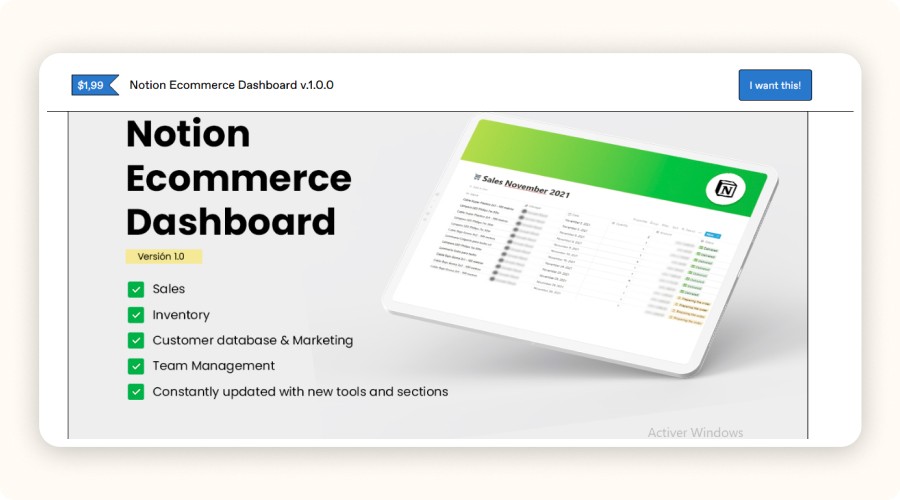
To duplicate a Notion template, open the desired template page (for example, “Ecommerce Dashboard by Alvus”). Click “Duplicate” in the top right corner and the template will instantly appear in your workspace.
Then customize it: adjust categories, order statuses, and product fields to fit your niche.
In just a few clicks, you’ll have a functional ecommerce base, no coding required.
Step 2: Set Up Your Main Databases
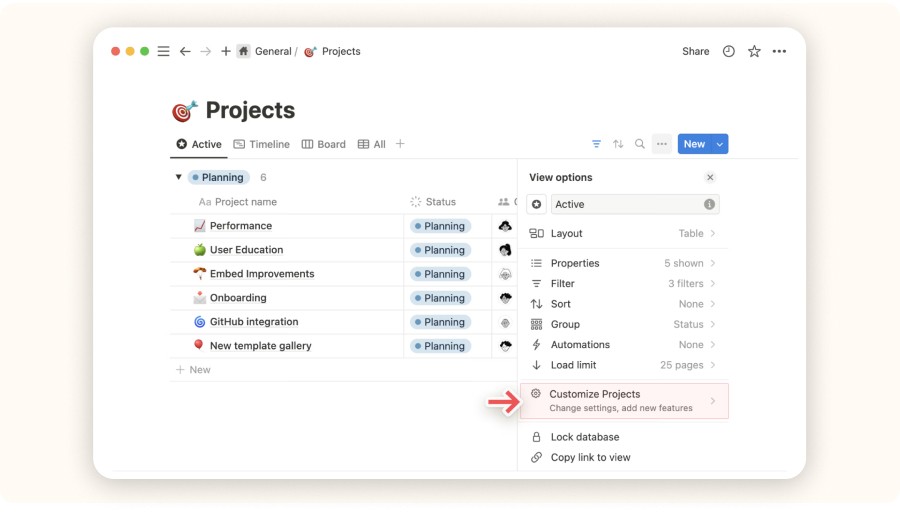
Create a new page and select your preferred database type (table, board, calendar, gallery, etc.). Add columns like text, date, number, or status, depending on what you need.
Then customize filters, relations, and views for better clarity.
A good dropshipping setup usually includes six key databases:
Products: name, price, status, supplier link, images
Suppliers: name, contact info, lead times, cost
Orders: customer, product, date, fulfillment status
Marketing Calendar: content, platform, publication date
Customers: profile info, order history, ticket status
Expenses: type, amount, date, channel
All these should be linked to avoid duplicates and keep everything synchronized.
Step 3: Automate Your Workflow with Zapier
To automate your workflow, connect Notion and Zapier through the official API. Create a “Zap” by defining a trigger (e.g., new Shopify order) and an action (e.g., create a new customer entry in Notion).
For example:
When a new order is placed on Shopify, Zapier adds it directly to your “Orders” database.
When you receive a customer email, the support status updates automatically in Notion.
This turns repetitive tasks into hands-free automation, no manual updates needed.
Step 4: Track KPIs and Make Data-Driven Decisions

Build a Notion KPI dashboard with formulas and rollups to monitor:
Traffic
Conversion rates
ROAS
Delivery delays
Everything is visual, real-time, and actionable allowing you to make fast, data-backed decisions without Excel.
How to Customize Notion for Ecommerce Success
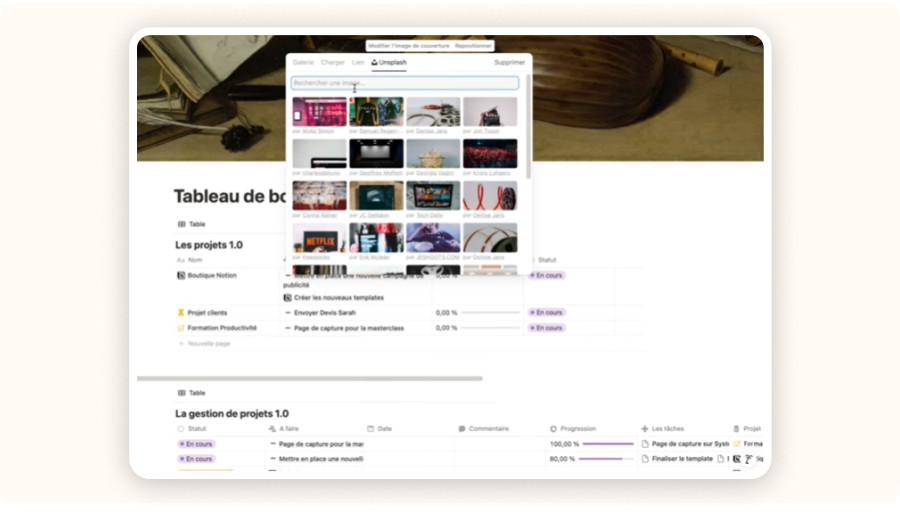
Notion is already powerful by default, but its advanced features unlock even greater efficiency.
Use Linked Databases and Rollups
Link related databases for smarter automation. For example, connect each product page to its supplier to instantly display lead times, cost, and contact info. Use formulas to calculate Customer Lifetime Value (LTV) or identify repeat buyers. Rollups automatically summarize total spend or number of orders per customer.
Add Filters and Dashboards for Faster Decisions
Create dedicated dashboards for specific workflows. Example: a fulfillment dashboard showing all pending or delayed orders. Or a filtered view showing your top 10 best-selling or most profitable products, ideal for reallocating marketing budgets efficiently.
Integrate Notion with Third-Party Tools
Save time by integrating Notion with tools you already use. Connect Shopify, Stripe, Tally.so, or Gumroad via Zapier or Make.
Example: every new Stripe payment automatically adds a CRM record in Notion via Tally.so. This keeps your sales pipeline and customer data always up-to-date, no manual input required.
Must-Have Features in a Notion Ecommerce Template for Dropshippers
If you want your Notion ecommerce workspace to efficiently manage a dropshipping business, your template needs these four essential features.
Order and Inventory Management
A powerful Notion ecommerce store template should link your products, suppliers, and orders through connected databases. You should be able to track every order, from checkout to delivery, without switching between multiple tools. Whenever a stock level or order status changes, it should automatically update everywhere, in real time.
You can even set restock alerts, when inventory reaches a critical threshold, Notion notifies you automatically. This helps you avoid stockouts and ensures smoother operations.
Customer Data and CRM
Managing your customers in Excel sheets? Forget it. A solid ecommerce Notion template includes a complete CRM system.
Using Zapier for ecommerce, every new order can automatically create a customer profile inside Notion, including:
Name
Email
Purchase history
Order status
Support ticket
At a glance, you’ll know who ordered what, when, and whether they were satisfied allowing you to personalize follow-ups and improve customer support effortlessly.
Marketing Campaign Tracking
Marketing fuels your business and it must be structured. Your Notion for ecommerce setup should include a content calendar to plan and track campaigns across Instagram, TikTok, and Facebook.
Add post ideas, upload visuals, schedule content, and monitor performance in one place.
A centralized visual asset library (photos, videos, and ad copy) saves hours of searching across different folders and ensures brand consistency across all channels.
Financial Tracking and Profit Margins
Your template should also include a financial dashboard. You can input product costs, ad spend, and selling prices, and Notion will automatically calculate your net profit.
Using formulas, charts, or rollup summaries, visualize your revenue, margins, and ROI instantly, no spreadsheets or manual calculations needed. This makes it easy to see which products are profitable and whether your campaigns deliver real returns.
How to Set Up Your Dropshipping Business in Notion
No coding or tech expertise needed. Here’s how to launch your entire ecommerce system in Notion step by step.
Step 1: Duplicate the Right Template
To duplicate a Notion template, open the desired template page (for example, “Ecommerce Dashboard by Alvus”). Click “Duplicate” in the top right corner and the template will instantly appear in your workspace.
Then customize it: adjust categories, order statuses, and product fields to fit your niche.
In just a few clicks, you’ll have a functional ecommerce base, no coding required.
Step 2: Set Up Your Main Databases
Create a new page and select your preferred database type (table, board, calendar, gallery, etc.). Add columns like text, date, number, or status, depending on what you need.
Then customize filters, relations, and views for better clarity.
A good dropshipping setup usually includes six key databases:
Products: name, price, status, supplier link, images
Suppliers: name, contact info, lead times, cost
Orders: customer, product, date, fulfillment status
Marketing Calendar: content, platform, publication date
Customers: profile info, order history, ticket status
Expenses: type, amount, date, channel
All these should be linked to avoid duplicates and keep everything synchronized.
Step 3: Automate Your Workflow with Zapier
To automate your workflow, connect Notion and Zapier through the official API. Create a “Zap” by defining a trigger (e.g., new Shopify order) and an action (e.g., create a new customer entry in Notion).
For example:
When a new order is placed on Shopify, Zapier adds it directly to your “Orders” database.
When you receive a customer email, the support status updates automatically in Notion.
This turns repetitive tasks into hands-free automation, no manual updates needed.
Step 4: Track KPIs and Make Data-Driven Decisions
Build a Notion KPI dashboard with formulas and rollups to monitor:
Traffic
Conversion rates
ROAS
Delivery delays
Everything is visual, real-time, and actionable allowing you to make fast, data-backed decisions without Excel.
How to Customize Notion for Ecommerce Success
Notion is already powerful by default, but its advanced features unlock even greater efficiency.
Use Linked Databases and Rollups
Link related databases for smarter automation. For example, connect each product page to its supplier to instantly display lead times, cost, and contact info. Use formulas to calculate Customer Lifetime Value (LTV) or identify repeat buyers. Rollups automatically summarize total spend or number of orders per customer.
Add Filters and Dashboards for Faster Decisions
Create dedicated dashboards for specific workflows. Example: a fulfillment dashboard showing all pending or delayed orders. Or a filtered view showing your top 10 best-selling or most profitable products, ideal for reallocating marketing budgets efficiently.
Integrate Notion with Third-Party Tools
Save time by integrating Notion with tools you already use. Connect Shopify, Stripe, Tally.so, or Gumroad via Zapier or Make.
Example: every new Stripe payment automatically adds a CRM record in Notion via Tally.so. This keeps your sales pipeline and customer data always up-to-date, no manual input required.
Must-Have Features in a Notion Ecommerce Template for Dropshippers
If you want your Notion ecommerce workspace to efficiently manage a dropshipping business, your template needs these four essential features.
Order and Inventory Management
A powerful Notion ecommerce store template should link your products, suppliers, and orders through connected databases. You should be able to track every order, from checkout to delivery, without switching between multiple tools. Whenever a stock level or order status changes, it should automatically update everywhere, in real time.
You can even set restock alerts, when inventory reaches a critical threshold, Notion notifies you automatically. This helps you avoid stockouts and ensures smoother operations.
Customer Data and CRM
Managing your customers in Excel sheets? Forget it. A solid ecommerce Notion template includes a complete CRM system.
Using Zapier for ecommerce, every new order can automatically create a customer profile inside Notion, including:
Name
Email
Purchase history
Order status
Support ticket
At a glance, you’ll know who ordered what, when, and whether they were satisfied allowing you to personalize follow-ups and improve customer support effortlessly.
Marketing Campaign Tracking
Marketing fuels your business and it must be structured. Your Notion for ecommerce setup should include a content calendar to plan and track campaigns across Instagram, TikTok, and Facebook.
Add post ideas, upload visuals, schedule content, and monitor performance in one place.
A centralized visual asset library (photos, videos, and ad copy) saves hours of searching across different folders and ensures brand consistency across all channels.
Financial Tracking and Profit Margins
Your template should also include a financial dashboard. You can input product costs, ad spend, and selling prices, and Notion will automatically calculate your net profit.
Using formulas, charts, or rollup summaries, visualize your revenue, margins, and ROI instantly, no spreadsheets or manual calculations needed. This makes it easy to see which products are profitable and whether your campaigns deliver real returns.
How to Set Up Your Dropshipping Business in Notion
No coding or tech expertise needed. Here’s how to launch your entire ecommerce system in Notion step by step.
Step 1: Duplicate the Right Template
To duplicate a Notion template, open the desired template page (for example, “Ecommerce Dashboard by Alvus”). Click “Duplicate” in the top right corner and the template will instantly appear in your workspace.
Then customize it: adjust categories, order statuses, and product fields to fit your niche.
In just a few clicks, you’ll have a functional ecommerce base, no coding required.
Step 2: Set Up Your Main Databases
Create a new page and select your preferred database type (table, board, calendar, gallery, etc.). Add columns like text, date, number, or status, depending on what you need.
Then customize filters, relations, and views for better clarity.
A good dropshipping setup usually includes six key databases:
Products: name, price, status, supplier link, images
Suppliers: name, contact info, lead times, cost
Orders: customer, product, date, fulfillment status
Marketing Calendar: content, platform, publication date
Customers: profile info, order history, ticket status
Expenses: type, amount, date, channel
All these should be linked to avoid duplicates and keep everything synchronized.
Step 3: Automate Your Workflow with Zapier
To automate your workflow, connect Notion and Zapier through the official API. Create a “Zap” by defining a trigger (e.g., new Shopify order) and an action (e.g., create a new customer entry in Notion).
For example:
When a new order is placed on Shopify, Zapier adds it directly to your “Orders” database.
When you receive a customer email, the support status updates automatically in Notion.
This turns repetitive tasks into hands-free automation, no manual updates needed.
Step 4: Track KPIs and Make Data-Driven Decisions
Build a Notion KPI dashboard with formulas and rollups to monitor:
Traffic
Conversion rates
ROAS
Delivery delays
Everything is visual, real-time, and actionable allowing you to make fast, data-backed decisions without Excel.
How to Customize Notion for Ecommerce Success
Notion is already powerful by default, but its advanced features unlock even greater efficiency.
Use Linked Databases and Rollups
Link related databases for smarter automation. For example, connect each product page to its supplier to instantly display lead times, cost, and contact info. Use formulas to calculate Customer Lifetime Value (LTV) or identify repeat buyers. Rollups automatically summarize total spend or number of orders per customer.
Add Filters and Dashboards for Faster Decisions
Create dedicated dashboards for specific workflows. Example: a fulfillment dashboard showing all pending or delayed orders. Or a filtered view showing your top 10 best-selling or most profitable products, ideal for reallocating marketing budgets efficiently.
Integrate Notion with Third-Party Tools
Save time by integrating Notion with tools you already use. Connect Shopify, Stripe, Tally.so, or Gumroad via Zapier or Make.
Example: every new Stripe payment automatically adds a CRM record in Notion via Tally.so. This keeps your sales pipeline and customer data always up-to-date, no manual input required.
Must-Have Features in a Notion Ecommerce Template for Dropshippers
If you want your Notion ecommerce workspace to efficiently manage a dropshipping business, your template needs these four essential features.
Order and Inventory Management
A powerful Notion ecommerce store template should link your products, suppliers, and orders through connected databases. You should be able to track every order, from checkout to delivery, without switching between multiple tools. Whenever a stock level or order status changes, it should automatically update everywhere, in real time.
You can even set restock alerts, when inventory reaches a critical threshold, Notion notifies you automatically. This helps you avoid stockouts and ensures smoother operations.
Customer Data and CRM
Managing your customers in Excel sheets? Forget it. A solid ecommerce Notion template includes a complete CRM system.
Using Zapier for ecommerce, every new order can automatically create a customer profile inside Notion, including:
Name
Email
Purchase history
Order status
Support ticket
At a glance, you’ll know who ordered what, when, and whether they were satisfied allowing you to personalize follow-ups and improve customer support effortlessly.
Marketing Campaign Tracking
Marketing fuels your business and it must be structured. Your Notion for ecommerce setup should include a content calendar to plan and track campaigns across Instagram, TikTok, and Facebook.
Add post ideas, upload visuals, schedule content, and monitor performance in one place.
A centralized visual asset library (photos, videos, and ad copy) saves hours of searching across different folders and ensures brand consistency across all channels.
Financial Tracking and Profit Margins
Your template should also include a financial dashboard. You can input product costs, ad spend, and selling prices, and Notion will automatically calculate your net profit.
Using formulas, charts, or rollup summaries, visualize your revenue, margins, and ROI instantly, no spreadsheets or manual calculations needed. This makes it easy to see which products are profitable and whether your campaigns deliver real returns.
How to Set Up Your Dropshipping Business in Notion
No coding or tech expertise needed. Here’s how to launch your entire ecommerce system in Notion step by step.
Step 1: Duplicate the Right Template
To duplicate a Notion template, open the desired template page (for example, “Ecommerce Dashboard by Alvus”). Click “Duplicate” in the top right corner and the template will instantly appear in your workspace.
Then customize it: adjust categories, order statuses, and product fields to fit your niche.
In just a few clicks, you’ll have a functional ecommerce base, no coding required.
Step 2: Set Up Your Main Databases
Create a new page and select your preferred database type (table, board, calendar, gallery, etc.). Add columns like text, date, number, or status, depending on what you need.
Then customize filters, relations, and views for better clarity.
A good dropshipping setup usually includes six key databases:
Products: name, price, status, supplier link, images
Suppliers: name, contact info, lead times, cost
Orders: customer, product, date, fulfillment status
Marketing Calendar: content, platform, publication date
Customers: profile info, order history, ticket status
Expenses: type, amount, date, channel
All these should be linked to avoid duplicates and keep everything synchronized.
Step 3: Automate Your Workflow with Zapier
To automate your workflow, connect Notion and Zapier through the official API. Create a “Zap” by defining a trigger (e.g., new Shopify order) and an action (e.g., create a new customer entry in Notion).
For example:
When a new order is placed on Shopify, Zapier adds it directly to your “Orders” database.
When you receive a customer email, the support status updates automatically in Notion.
This turns repetitive tasks into hands-free automation, no manual updates needed.
Step 4: Track KPIs and Make Data-Driven Decisions
Build a Notion KPI dashboard with formulas and rollups to monitor:
Traffic
Conversion rates
ROAS
Delivery delays
Everything is visual, real-time, and actionable allowing you to make fast, data-backed decisions without Excel.
How to Customize Notion for Ecommerce Success
Notion is already powerful by default, but its advanced features unlock even greater efficiency.
Use Linked Databases and Rollups
Link related databases for smarter automation. For example, connect each product page to its supplier to instantly display lead times, cost, and contact info. Use formulas to calculate Customer Lifetime Value (LTV) or identify repeat buyers. Rollups automatically summarize total spend or number of orders per customer.
Add Filters and Dashboards for Faster Decisions
Create dedicated dashboards for specific workflows. Example: a fulfillment dashboard showing all pending or delayed orders. Or a filtered view showing your top 10 best-selling or most profitable products, ideal for reallocating marketing budgets efficiently.
Integrate Notion with Third-Party Tools
Save time by integrating Notion with tools you already use. Connect Shopify, Stripe, Tally.so, or Gumroad via Zapier or Make.
Example: every new Stripe payment automatically adds a CRM record in Notion via Tally.so. This keeps your sales pipeline and customer data always up-to-date, no manual input required.
Must-Have Features in a Notion Ecommerce Template for Dropshippers
If you want your Notion ecommerce workspace to efficiently manage a dropshipping business, your template needs these four essential features.
Order and Inventory Management
A powerful Notion ecommerce store template should link your products, suppliers, and orders through connected databases. You should be able to track every order, from checkout to delivery, without switching between multiple tools. Whenever a stock level or order status changes, it should automatically update everywhere, in real time.
You can even set restock alerts, when inventory reaches a critical threshold, Notion notifies you automatically. This helps you avoid stockouts and ensures smoother operations.
Customer Data and CRM
Managing your customers in Excel sheets? Forget it. A solid ecommerce Notion template includes a complete CRM system.
Using Zapier for ecommerce, every new order can automatically create a customer profile inside Notion, including:
Name
Email
Purchase history
Order status
Support ticket
At a glance, you’ll know who ordered what, when, and whether they were satisfied allowing you to personalize follow-ups and improve customer support effortlessly.
Marketing Campaign Tracking
Marketing fuels your business and it must be structured. Your Notion for ecommerce setup should include a content calendar to plan and track campaigns across Instagram, TikTok, and Facebook.
Add post ideas, upload visuals, schedule content, and monitor performance in one place.
A centralized visual asset library (photos, videos, and ad copy) saves hours of searching across different folders and ensures brand consistency across all channels.
Financial Tracking and Profit Margins
Your template should also include a financial dashboard. You can input product costs, ad spend, and selling prices, and Notion will automatically calculate your net profit.
Using formulas, charts, or rollup summaries, visualize your revenue, margins, and ROI instantly, no spreadsheets or manual calculations needed. This makes it easy to see which products are profitable and whether your campaigns deliver real returns.
How to Set Up Your Dropshipping Business in Notion
No coding or tech expertise needed. Here’s how to launch your entire ecommerce system in Notion step by step.
Step 1: Duplicate the Right Template
To duplicate a Notion template, open the desired template page (for example, “Ecommerce Dashboard by Alvus”). Click “Duplicate” in the top right corner and the template will instantly appear in your workspace.
Then customize it: adjust categories, order statuses, and product fields to fit your niche.
In just a few clicks, you’ll have a functional ecommerce base, no coding required.
Step 2: Set Up Your Main Databases
Create a new page and select your preferred database type (table, board, calendar, gallery, etc.). Add columns like text, date, number, or status, depending on what you need.
Then customize filters, relations, and views for better clarity.
A good dropshipping setup usually includes six key databases:
Products: name, price, status, supplier link, images
Suppliers: name, contact info, lead times, cost
Orders: customer, product, date, fulfillment status
Marketing Calendar: content, platform, publication date
Customers: profile info, order history, ticket status
Expenses: type, amount, date, channel
All these should be linked to avoid duplicates and keep everything synchronized.
Step 3: Automate Your Workflow with Zapier
To automate your workflow, connect Notion and Zapier through the official API. Create a “Zap” by defining a trigger (e.g., new Shopify order) and an action (e.g., create a new customer entry in Notion).
For example:
When a new order is placed on Shopify, Zapier adds it directly to your “Orders” database.
When you receive a customer email, the support status updates automatically in Notion.
This turns repetitive tasks into hands-free automation, no manual updates needed.
Step 4: Track KPIs and Make Data-Driven Decisions
Build a Notion KPI dashboard with formulas and rollups to monitor:
Traffic
Conversion rates
ROAS
Delivery delays
Everything is visual, real-time, and actionable allowing you to make fast, data-backed decisions without Excel.
How to Customize Notion for Ecommerce Success
Notion is already powerful by default, but its advanced features unlock even greater efficiency.
Use Linked Databases and Rollups
Link related databases for smarter automation. For example, connect each product page to its supplier to instantly display lead times, cost, and contact info. Use formulas to calculate Customer Lifetime Value (LTV) or identify repeat buyers. Rollups automatically summarize total spend or number of orders per customer.
Add Filters and Dashboards for Faster Decisions
Create dedicated dashboards for specific workflows. Example: a fulfillment dashboard showing all pending or delayed orders. Or a filtered view showing your top 10 best-selling or most profitable products, ideal for reallocating marketing budgets efficiently.
Integrate Notion with Third-Party Tools
Save time by integrating Notion with tools you already use. Connect Shopify, Stripe, Tally.so, or Gumroad via Zapier or Make.
Example: every new Stripe payment automatically adds a CRM record in Notion via Tally.so. This keeps your sales pipeline and customer data always up-to-date, no manual input required.
Must-Have Features in a Notion Ecommerce Template for Dropshippers
If you want your Notion ecommerce workspace to efficiently manage a dropshipping business, your template needs these four essential features.
Order and Inventory Management
A powerful Notion ecommerce store template should link your products, suppliers, and orders through connected databases. You should be able to track every order, from checkout to delivery, without switching between multiple tools. Whenever a stock level or order status changes, it should automatically update everywhere, in real time.
You can even set restock alerts, when inventory reaches a critical threshold, Notion notifies you automatically. This helps you avoid stockouts and ensures smoother operations.
Customer Data and CRM
Managing your customers in Excel sheets? Forget it. A solid ecommerce Notion template includes a complete CRM system.
Using Zapier for ecommerce, every new order can automatically create a customer profile inside Notion, including:
Name
Email
Purchase history
Order status
Support ticket
At a glance, you’ll know who ordered what, when, and whether they were satisfied allowing you to personalize follow-ups and improve customer support effortlessly.
Marketing Campaign Tracking
Marketing fuels your business and it must be structured. Your Notion for ecommerce setup should include a content calendar to plan and track campaigns across Instagram, TikTok, and Facebook.
Add post ideas, upload visuals, schedule content, and monitor performance in one place.
A centralized visual asset library (photos, videos, and ad copy) saves hours of searching across different folders and ensures brand consistency across all channels.
Financial Tracking and Profit Margins
Your template should also include a financial dashboard. You can input product costs, ad spend, and selling prices, and Notion will automatically calculate your net profit.
Using formulas, charts, or rollup summaries, visualize your revenue, margins, and ROI instantly, no spreadsheets or manual calculations needed. This makes it easy to see which products are profitable and whether your campaigns deliver real returns.
How to Set Up Your Dropshipping Business in Notion
No coding or tech expertise needed. Here’s how to launch your entire ecommerce system in Notion step by step.
Step 1: Duplicate the Right Template
To duplicate a Notion template, open the desired template page (for example, “Ecommerce Dashboard by Alvus”). Click “Duplicate” in the top right corner and the template will instantly appear in your workspace.
Then customize it: adjust categories, order statuses, and product fields to fit your niche.
In just a few clicks, you’ll have a functional ecommerce base, no coding required.
Step 2: Set Up Your Main Databases
Create a new page and select your preferred database type (table, board, calendar, gallery, etc.). Add columns like text, date, number, or status, depending on what you need.
Then customize filters, relations, and views for better clarity.
A good dropshipping setup usually includes six key databases:
Products: name, price, status, supplier link, images
Suppliers: name, contact info, lead times, cost
Orders: customer, product, date, fulfillment status
Marketing Calendar: content, platform, publication date
Customers: profile info, order history, ticket status
Expenses: type, amount, date, channel
All these should be linked to avoid duplicates and keep everything synchronized.
Step 3: Automate Your Workflow with Zapier
To automate your workflow, connect Notion and Zapier through the official API. Create a “Zap” by defining a trigger (e.g., new Shopify order) and an action (e.g., create a new customer entry in Notion).
For example:
When a new order is placed on Shopify, Zapier adds it directly to your “Orders” database.
When you receive a customer email, the support status updates automatically in Notion.
This turns repetitive tasks into hands-free automation, no manual updates needed.
Step 4: Track KPIs and Make Data-Driven Decisions
Build a Notion KPI dashboard with formulas and rollups to monitor:
Traffic
Conversion rates
ROAS
Delivery delays
Everything is visual, real-time, and actionable allowing you to make fast, data-backed decisions without Excel.
How to Customize Notion for Ecommerce Success
Notion is already powerful by default, but its advanced features unlock even greater efficiency.
Use Linked Databases and Rollups
Link related databases for smarter automation. For example, connect each product page to its supplier to instantly display lead times, cost, and contact info. Use formulas to calculate Customer Lifetime Value (LTV) or identify repeat buyers. Rollups automatically summarize total spend or number of orders per customer.
Add Filters and Dashboards for Faster Decisions
Create dedicated dashboards for specific workflows. Example: a fulfillment dashboard showing all pending or delayed orders. Or a filtered view showing your top 10 best-selling or most profitable products, ideal for reallocating marketing budgets efficiently.
Integrate Notion with Third-Party Tools
Save time by integrating Notion with tools you already use. Connect Shopify, Stripe, Tally.so, or Gumroad via Zapier or Make.
Example: every new Stripe payment automatically adds a CRM record in Notion via Tally.so. This keeps your sales pipeline and customer data always up-to-date, no manual input required.

Mistakes to Avoid When Using Notion for Ecommerce

Notion is powerful, but if it’s poorly structured, it quickly becomes a bottleneck. Here are three common mistakes dropshippers make and how to sidestep them.
Mistake #1: Stacking too many unlinked templates
If you collect templates that don’t talk to each other, you waste time hunting info or re-entering it. Centralize your system with master dashboards and linked, global databases. For example, keep one shared Customers database linked to Orders, Support, and Invoices. With a single source of truth, you eliminate duplication and stay fast.
Mistake #2: Not tracking costs accurately
Many templates ignore financial reality. Without precise expense tracking, you’re flying blind. Add dedicated fields in your Expenses database from day one: expense type, amount, date, cost center (ads, suppliers, apps). Then filter spend, compare ROAS, and spot hidden leaks. This is where a well-built Notion ecommerce setup pays off.
Mistake #3: Loose access and permissions for the team
Sharing everything with everyone slows execution and risks data leaks. Create role-filtered views in each database (e.g., Orders, Content, Ads). Your VA sees only fulfillment tasks, your content manager sees creative assets, and your media buyer sees campaigns. Fewer distractions = faster execution.
Conclusion: Why Notion Is a Perfect Ally for Dropshipping in 2025
For a dropshipping business, Notion is an all-in-one system. Use it to centralize content, operations, finances, and support in one place, less friction, more clarity, more time to sell.
It’s simple to get started: pick a notion ecommerce store template, tailor it to your model (niche, POD, multi-product), and launch. You don’t need five separate tools to run your shop. Grab a notion ecommerce template free, customize it, and subscribe to our newsletter for monthly resources.
FAQ
What is Notion Ecommerce?
Notion Ecommerce is a customizable workspace built in Notion that lets you manage every part of your dropshipping business from product listings and orders to marketing and finances, all in one place.
Why use Notion for ecommerce or dropshipping?
Using Notion for ecommerce helps centralize your workflow, automate repetitive tasks, and track your store’s performance in real time. It replaces multiple tools like Google Sheets or Trello with one clean, scalable system.
What are the best Notion Ecommerce templates?
Some of the best templates include Notion Ecommerce Business Kit, Dropshipping Business Kit by BizBlueprint, and Ecommerce Dashboard by Alvus. These templates offer ready-to-use dashboards for sales tracking, CRM, inventory, and marketing.
Can I automate my Notion Ecommerce workspace?
Yes. You can integrate Notion with Zapier or Make to automate tasks like adding new orders, updating customer data, or syncing sales reports, saving hours each week.
Mistakes to Avoid When Using Notion for Ecommerce
Notion is powerful, but if it’s poorly structured, it quickly becomes a bottleneck. Here are three common mistakes dropshippers make and how to sidestep them.
Mistake #1: Stacking too many unlinked templates
If you collect templates that don’t talk to each other, you waste time hunting info or re-entering it. Centralize your system with master dashboards and linked, global databases. For example, keep one shared Customers database linked to Orders, Support, and Invoices. With a single source of truth, you eliminate duplication and stay fast.
Mistake #2: Not tracking costs accurately
Many templates ignore financial reality. Without precise expense tracking, you’re flying blind. Add dedicated fields in your Expenses database from day one: expense type, amount, date, cost center (ads, suppliers, apps). Then filter spend, compare ROAS, and spot hidden leaks. This is where a well-built Notion ecommerce setup pays off.
Mistake #3: Loose access and permissions for the team
Sharing everything with everyone slows execution and risks data leaks. Create role-filtered views in each database (e.g., Orders, Content, Ads). Your VA sees only fulfillment tasks, your content manager sees creative assets, and your media buyer sees campaigns. Fewer distractions = faster execution.
Conclusion: Why Notion Is a Perfect Ally for Dropshipping in 2025
For a dropshipping business, Notion is an all-in-one system. Use it to centralize content, operations, finances, and support in one place, less friction, more clarity, more time to sell.
It’s simple to get started: pick a notion ecommerce store template, tailor it to your model (niche, POD, multi-product), and launch. You don’t need five separate tools to run your shop. Grab a notion ecommerce template free, customize it, and subscribe to our newsletter for monthly resources.
FAQ
What is Notion Ecommerce?
Notion Ecommerce is a customizable workspace built in Notion that lets you manage every part of your dropshipping business from product listings and orders to marketing and finances, all in one place.
Why use Notion for ecommerce or dropshipping?
Using Notion for ecommerce helps centralize your workflow, automate repetitive tasks, and track your store’s performance in real time. It replaces multiple tools like Google Sheets or Trello with one clean, scalable system.
What are the best Notion Ecommerce templates?
Some of the best templates include Notion Ecommerce Business Kit, Dropshipping Business Kit by BizBlueprint, and Ecommerce Dashboard by Alvus. These templates offer ready-to-use dashboards for sales tracking, CRM, inventory, and marketing.
Can I automate my Notion Ecommerce workspace?
Yes. You can integrate Notion with Zapier or Make to automate tasks like adding new orders, updating customer data, or syncing sales reports, saving hours each week.
Mistakes to Avoid When Using Notion for Ecommerce
Notion is powerful, but if it’s poorly structured, it quickly becomes a bottleneck. Here are three common mistakes dropshippers make and how to sidestep them.
Mistake #1: Stacking too many unlinked templates
If you collect templates that don’t talk to each other, you waste time hunting info or re-entering it. Centralize your system with master dashboards and linked, global databases. For example, keep one shared Customers database linked to Orders, Support, and Invoices. With a single source of truth, you eliminate duplication and stay fast.
Mistake #2: Not tracking costs accurately
Many templates ignore financial reality. Without precise expense tracking, you’re flying blind. Add dedicated fields in your Expenses database from day one: expense type, amount, date, cost center (ads, suppliers, apps). Then filter spend, compare ROAS, and spot hidden leaks. This is where a well-built Notion ecommerce setup pays off.
Mistake #3: Loose access and permissions for the team
Sharing everything with everyone slows execution and risks data leaks. Create role-filtered views in each database (e.g., Orders, Content, Ads). Your VA sees only fulfillment tasks, your content manager sees creative assets, and your media buyer sees campaigns. Fewer distractions = faster execution.
Conclusion: Why Notion Is a Perfect Ally for Dropshipping in 2025
For a dropshipping business, Notion is an all-in-one system. Use it to centralize content, operations, finances, and support in one place, less friction, more clarity, more time to sell.
It’s simple to get started: pick a notion ecommerce store template, tailor it to your model (niche, POD, multi-product), and launch. You don’t need five separate tools to run your shop. Grab a notion ecommerce template free, customize it, and subscribe to our newsletter for monthly resources.
FAQ
What is Notion Ecommerce?
Notion Ecommerce is a customizable workspace built in Notion that lets you manage every part of your dropshipping business from product listings and orders to marketing and finances, all in one place.
Why use Notion for ecommerce or dropshipping?
Using Notion for ecommerce helps centralize your workflow, automate repetitive tasks, and track your store’s performance in real time. It replaces multiple tools like Google Sheets or Trello with one clean, scalable system.
What are the best Notion Ecommerce templates?
Some of the best templates include Notion Ecommerce Business Kit, Dropshipping Business Kit by BizBlueprint, and Ecommerce Dashboard by Alvus. These templates offer ready-to-use dashboards for sales tracking, CRM, inventory, and marketing.
Can I automate my Notion Ecommerce workspace?
Yes. You can integrate Notion with Zapier or Make to automate tasks like adding new orders, updating customer data, or syncing sales reports, saving hours each week.
Mistakes to Avoid When Using Notion for Ecommerce
Notion is powerful, but if it’s poorly structured, it quickly becomes a bottleneck. Here are three common mistakes dropshippers make and how to sidestep them.
Mistake #1: Stacking too many unlinked templates
If you collect templates that don’t talk to each other, you waste time hunting info or re-entering it. Centralize your system with master dashboards and linked, global databases. For example, keep one shared Customers database linked to Orders, Support, and Invoices. With a single source of truth, you eliminate duplication and stay fast.
Mistake #2: Not tracking costs accurately
Many templates ignore financial reality. Without precise expense tracking, you’re flying blind. Add dedicated fields in your Expenses database from day one: expense type, amount, date, cost center (ads, suppliers, apps). Then filter spend, compare ROAS, and spot hidden leaks. This is where a well-built Notion ecommerce setup pays off.
Mistake #3: Loose access and permissions for the team
Sharing everything with everyone slows execution and risks data leaks. Create role-filtered views in each database (e.g., Orders, Content, Ads). Your VA sees only fulfillment tasks, your content manager sees creative assets, and your media buyer sees campaigns. Fewer distractions = faster execution.
Conclusion: Why Notion Is a Perfect Ally for Dropshipping in 2025
For a dropshipping business, Notion is an all-in-one system. Use it to centralize content, operations, finances, and support in one place, less friction, more clarity, more time to sell.
It’s simple to get started: pick a notion ecommerce store template, tailor it to your model (niche, POD, multi-product), and launch. You don’t need five separate tools to run your shop. Grab a notion ecommerce template free, customize it, and subscribe to our newsletter for monthly resources.
FAQ
What is Notion Ecommerce?
Notion Ecommerce is a customizable workspace built in Notion that lets you manage every part of your dropshipping business from product listings and orders to marketing and finances, all in one place.
Why use Notion for ecommerce or dropshipping?
Using Notion for ecommerce helps centralize your workflow, automate repetitive tasks, and track your store’s performance in real time. It replaces multiple tools like Google Sheets or Trello with one clean, scalable system.
What are the best Notion Ecommerce templates?
Some of the best templates include Notion Ecommerce Business Kit, Dropshipping Business Kit by BizBlueprint, and Ecommerce Dashboard by Alvus. These templates offer ready-to-use dashboards for sales tracking, CRM, inventory, and marketing.
Can I automate my Notion Ecommerce workspace?
Yes. You can integrate Notion with Zapier or Make to automate tasks like adding new orders, updating customer data, or syncing sales reports, saving hours each week.
Mistakes to Avoid When Using Notion for Ecommerce
Notion is powerful, but if it’s poorly structured, it quickly becomes a bottleneck. Here are three common mistakes dropshippers make and how to sidestep them.
Mistake #1: Stacking too many unlinked templates
If you collect templates that don’t talk to each other, you waste time hunting info or re-entering it. Centralize your system with master dashboards and linked, global databases. For example, keep one shared Customers database linked to Orders, Support, and Invoices. With a single source of truth, you eliminate duplication and stay fast.
Mistake #2: Not tracking costs accurately
Many templates ignore financial reality. Without precise expense tracking, you’re flying blind. Add dedicated fields in your Expenses database from day one: expense type, amount, date, cost center (ads, suppliers, apps). Then filter spend, compare ROAS, and spot hidden leaks. This is where a well-built Notion ecommerce setup pays off.
Mistake #3: Loose access and permissions for the team
Sharing everything with everyone slows execution and risks data leaks. Create role-filtered views in each database (e.g., Orders, Content, Ads). Your VA sees only fulfillment tasks, your content manager sees creative assets, and your media buyer sees campaigns. Fewer distractions = faster execution.
Conclusion: Why Notion Is a Perfect Ally for Dropshipping in 2025
For a dropshipping business, Notion is an all-in-one system. Use it to centralize content, operations, finances, and support in one place, less friction, more clarity, more time to sell.
It’s simple to get started: pick a notion ecommerce store template, tailor it to your model (niche, POD, multi-product), and launch. You don’t need five separate tools to run your shop. Grab a notion ecommerce template free, customize it, and subscribe to our newsletter for monthly resources.
FAQ
What is Notion Ecommerce?
Notion Ecommerce is a customizable workspace built in Notion that lets you manage every part of your dropshipping business from product listings and orders to marketing and finances, all in one place.
Why use Notion for ecommerce or dropshipping?
Using Notion for ecommerce helps centralize your workflow, automate repetitive tasks, and track your store’s performance in real time. It replaces multiple tools like Google Sheets or Trello with one clean, scalable system.
What are the best Notion Ecommerce templates?
Some of the best templates include Notion Ecommerce Business Kit, Dropshipping Business Kit by BizBlueprint, and Ecommerce Dashboard by Alvus. These templates offer ready-to-use dashboards for sales tracking, CRM, inventory, and marketing.
Can I automate my Notion Ecommerce workspace?
Yes. You can integrate Notion with Zapier or Make to automate tasks like adding new orders, updating customer data, or syncing sales reports, saving hours each week.
Mistakes to Avoid When Using Notion for Ecommerce
Notion is powerful, but if it’s poorly structured, it quickly becomes a bottleneck. Here are three common mistakes dropshippers make and how to sidestep them.
Mistake #1: Stacking too many unlinked templates
If you collect templates that don’t talk to each other, you waste time hunting info or re-entering it. Centralize your system with master dashboards and linked, global databases. For example, keep one shared Customers database linked to Orders, Support, and Invoices. With a single source of truth, you eliminate duplication and stay fast.
Mistake #2: Not tracking costs accurately
Many templates ignore financial reality. Without precise expense tracking, you’re flying blind. Add dedicated fields in your Expenses database from day one: expense type, amount, date, cost center (ads, suppliers, apps). Then filter spend, compare ROAS, and spot hidden leaks. This is where a well-built Notion ecommerce setup pays off.
Mistake #3: Loose access and permissions for the team
Sharing everything with everyone slows execution and risks data leaks. Create role-filtered views in each database (e.g., Orders, Content, Ads). Your VA sees only fulfillment tasks, your content manager sees creative assets, and your media buyer sees campaigns. Fewer distractions = faster execution.
Conclusion: Why Notion Is a Perfect Ally for Dropshipping in 2025
For a dropshipping business, Notion is an all-in-one system. Use it to centralize content, operations, finances, and support in one place, less friction, more clarity, more time to sell.
It’s simple to get started: pick a notion ecommerce store template, tailor it to your model (niche, POD, multi-product), and launch. You don’t need five separate tools to run your shop. Grab a notion ecommerce template free, customize it, and subscribe to our newsletter for monthly resources.
FAQ
What is Notion Ecommerce?
Notion Ecommerce is a customizable workspace built in Notion that lets you manage every part of your dropshipping business from product listings and orders to marketing and finances, all in one place.
Why use Notion for ecommerce or dropshipping?
Using Notion for ecommerce helps centralize your workflow, automate repetitive tasks, and track your store’s performance in real time. It replaces multiple tools like Google Sheets or Trello with one clean, scalable system.
What are the best Notion Ecommerce templates?
Some of the best templates include Notion Ecommerce Business Kit, Dropshipping Business Kit by BizBlueprint, and Ecommerce Dashboard by Alvus. These templates offer ready-to-use dashboards for sales tracking, CRM, inventory, and marketing.
Can I automate my Notion Ecommerce workspace?
Yes. You can integrate Notion with Zapier or Make to automate tasks like adding new orders, updating customer data, or syncing sales reports, saving hours each week.
Similar articles
Automate Your Dropshipping Business with Zapier: Complete Setup & Use Cases
November 29, 2025
Dropshipping Automation Software
Automate Your Dropshipping Business with Zapier: Complete Setup & Use Cases
November 29, 2025
Dropshipping Automation Software
Automate Your Dropshipping Business with Zapier: Complete Setup & Use Cases
November 29, 2025
Dropshipping Automation Software
Automate Your Dropshipping Business with Zapier: Complete Setup & Use Cases
November 29, 2025
Dropshipping Automation Software
Automate Your Dropshipping Business with Zapier: Complete Setup & Use Cases
November 29, 2025
Dropshipping Automation Software
Automate Your Dropshipping Business with Zapier: Complete Setup & Use Cases
November 29, 2025
Dropshipping Automation Software




Our Free Adspys
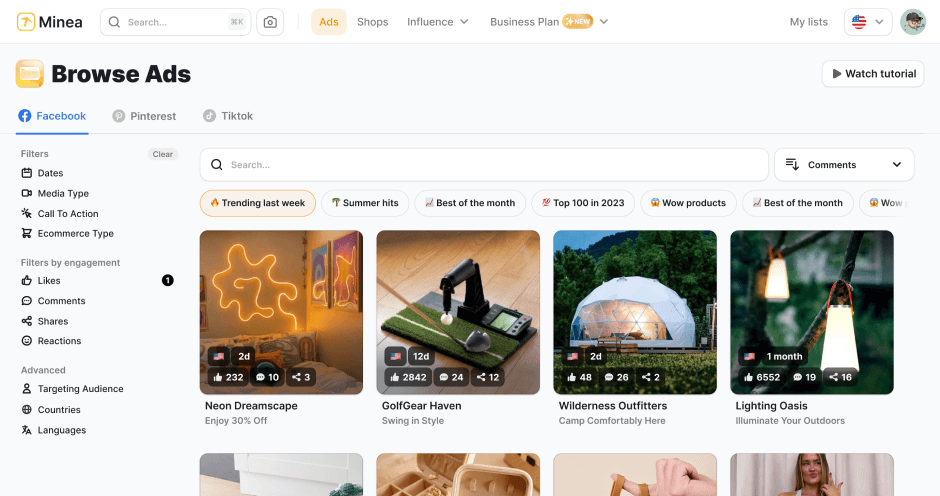
Find winning products on our Tiktok adspy today!
Find winning products on our Pinterest adspy today!
Find winning products on our Facebook adspy today!
Find winning products on our Tiktok adspy today!
Find winning products on our Pinterest adspy today!
Find winning products on our Facebook adspy today!
Find winning products on our Tiktok adspy today!
Find winning products on our Pinterest adspy today!
Find winning products on our Facebook adspy today!
Find winning products on our Tiktok adspy today!
Find winning products on our Pinterest adspy today!
Find winning products on our Facebook adspy today!
1 winning product everyday.
Follow us!



Our Free Adspys
Find winning products on our Tiktok adspy today!
Find winning products on our Pinterest adspy today!
Find winning products on our Facebook adspy today!
Find winning products on our Tiktok adspy today!
Find winning products on our Pinterest adspy today!
Find winning products on our Facebook adspy today!
Find winning products on our Tiktok adspy today!
Find winning products on our Pinterest adspy today!
Find winning products on our Facebook adspy today!
Find winning products on our Tiktok adspy today!
Find winning products on our Pinterest adspy today!
Find winning products on our Facebook adspy today!
1 winning product everyday.
Follow us!
Our Free Adspys
Find winning products on our Tiktok adspy today!
Find winning products on our Pinterest adspy today!
Find winning products on our Facebook adspy today!
Find winning products on our Tiktok adspy today!
Find winning products on our Pinterest adspy today!
Find winning products on our Facebook adspy today!
Find winning products on our Tiktok adspy today!
Find winning products on our Pinterest adspy today!
Find winning products on our Facebook adspy today!
Find winning products on our Tiktok adspy today!
Find winning products on our Pinterest adspy today!
Find winning products on our Facebook adspy today!
1 winning product everyday.
Follow us!




Find out more
Read more
Minea © 2025
Find out more
Read more
Minea © 2025
Find out more
Read more
Minea © 2025
Find out more
Read more
Minea © 2025
Find out more
Read more
Minea © 2025
Find out more
Read more
Minea © 2025
Find out more
Read more
Minea © 2025