How to Automate Dropshipping in 2025: The Complete Step-by-Step Guide
Automated Dropshipping
Author: Josa
November 27, 2025
Contents
To automate dropshipping, you simply connect your store to tools that handle repetitive tasks for you, things like:
product importing
inventory management
price updates
order processing
When these tasks run on autopilot, you save time, avoid manual errors, and scale faster without drowning in operations. But how do you actually automate everything? Let’s break it down.
How to Automate Your Dropshipping Business : Step-by-Step Process
Automating your store isn’t a single click, it’s a series of precise steps. Each configuration you set up helps you save time, avoid mistakes, and run a business that almost manages itself.
Step 1: Connect a Dropshipping Automation Tool
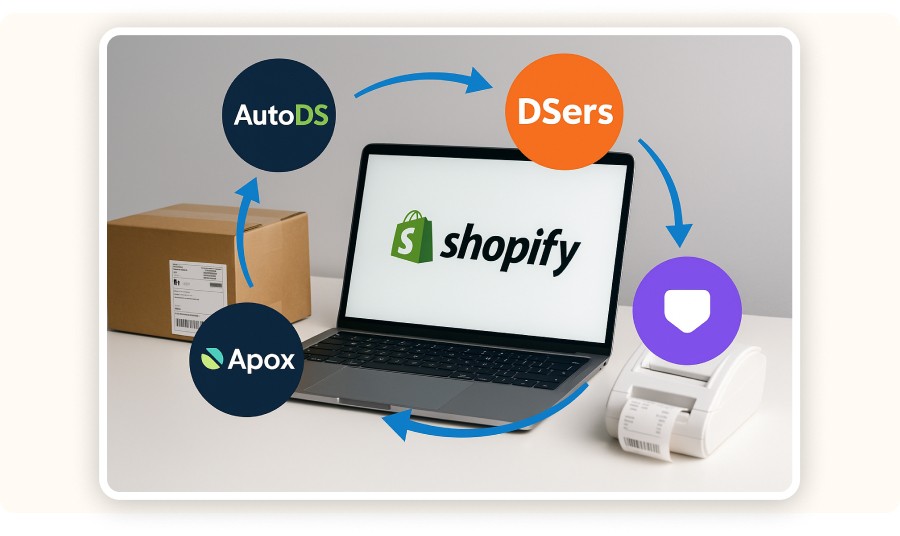
To automate dropshipping, you need reliable automation software connected directly to your store. These tools take care of:
product importing
real-time stock updates
dynamic pricing rules
automated order fulfillment
When choosing automation software, focus on three things:
Compatibility (Shopify, WooCommerce…)
Core features (auto import, inventory sync, price rules, fulfillment)
Ease of use
You should also check support quality and supplier integrations.
Always test the free plan or demo first. A good tool helps you avoid mistakes, save hours, and scale smoothly.
Don’t pick the tool “everyone talks about”, choose the one that actually fits your needs.
Feature | AutoDS | DSers | Spocket | Dropified |
Product import | ✅ | ✅ | ✅ | ✅ |
Inventory sync | ✅ | ✅ | ✅ | ✅ |
Dynamic pricing | ✅ | ⚙️ | ✅ | ✅ |
Reporting | ✅ | ⚙️ | ✅ | ⚙️ |
To automate dropshipping, you simply connect your store to tools that handle repetitive tasks for you, things like:
product importing
inventory management
price updates
order processing
When these tasks run on autopilot, you save time, avoid manual errors, and scale faster without drowning in operations. But how do you actually automate everything? Let’s break it down.
How to Automate Your Dropshipping Business : Step-by-Step Process
Automating your store isn’t a single click, it’s a series of precise steps. Each configuration you set up helps you save time, avoid mistakes, and run a business that almost manages itself.
Step 1: Connect a Dropshipping Automation Tool
To automate dropshipping, you need reliable automation software connected directly to your store. These tools take care of:
product importing
real-time stock updates
dynamic pricing rules
automated order fulfillment
When choosing automation software, focus on three things:
Compatibility (Shopify, WooCommerce…)
Core features (auto import, inventory sync, price rules, fulfillment)
Ease of use
You should also check support quality and supplier integrations.
Always test the free plan or demo first. A good tool helps you avoid mistakes, save hours, and scale smoothly.
Don’t pick the tool “everyone talks about”, choose the one that actually fits your needs.
Feature | AutoDS | DSers | Spocket | Dropified |
Product import | ✅ | ✅ | ✅ | ✅ |
Inventory sync | ✅ | ✅ | ✅ | ✅ |
Dynamic pricing | ✅ | ⚙️ | ✅ | ✅ |
Reporting | ✅ | ⚙️ | ✅ | ⚙️ |
To automate dropshipping, you simply connect your store to tools that handle repetitive tasks for you, things like:
product importing
inventory management
price updates
order processing
When these tasks run on autopilot, you save time, avoid manual errors, and scale faster without drowning in operations. But how do you actually automate everything? Let’s break it down.
How to Automate Your Dropshipping Business : Step-by-Step Process
Automating your store isn’t a single click, it’s a series of precise steps. Each configuration you set up helps you save time, avoid mistakes, and run a business that almost manages itself.
Step 1: Connect a Dropshipping Automation Tool
To automate dropshipping, you need reliable automation software connected directly to your store. These tools take care of:
product importing
real-time stock updates
dynamic pricing rules
automated order fulfillment
When choosing automation software, focus on three things:
Compatibility (Shopify, WooCommerce…)
Core features (auto import, inventory sync, price rules, fulfillment)
Ease of use
You should also check support quality and supplier integrations.
Always test the free plan or demo first. A good tool helps you avoid mistakes, save hours, and scale smoothly.
Don’t pick the tool “everyone talks about”, choose the one that actually fits your needs.
Feature | AutoDS | DSers | Spocket | Dropified |
Product import | ✅ | ✅ | ✅ | ✅ |
Inventory sync | ✅ | ✅ | ✅ | ✅ |
Dynamic pricing | ✅ | ⚙️ | ✅ | ✅ |
Reporting | ✅ | ⚙️ | ✅ | ⚙️ |
To automate dropshipping, you simply connect your store to tools that handle repetitive tasks for you, things like:
product importing
inventory management
price updates
order processing
When these tasks run on autopilot, you save time, avoid manual errors, and scale faster without drowning in operations. But how do you actually automate everything? Let’s break it down.
How to Automate Your Dropshipping Business : Step-by-Step Process
Automating your store isn’t a single click, it’s a series of precise steps. Each configuration you set up helps you save time, avoid mistakes, and run a business that almost manages itself.
Step 1: Connect a Dropshipping Automation Tool
To automate dropshipping, you need reliable automation software connected directly to your store. These tools take care of:
product importing
real-time stock updates
dynamic pricing rules
automated order fulfillment
When choosing automation software, focus on three things:
Compatibility (Shopify, WooCommerce…)
Core features (auto import, inventory sync, price rules, fulfillment)
Ease of use
You should also check support quality and supplier integrations.
Always test the free plan or demo first. A good tool helps you avoid mistakes, save hours, and scale smoothly.
Don’t pick the tool “everyone talks about”, choose the one that actually fits your needs.
Feature | AutoDS | DSers | Spocket | Dropified |
Product import | ✅ | ✅ | ✅ | ✅ |
Inventory sync | ✅ | ✅ | ✅ | ✅ |
Dynamic pricing | ✅ | ⚙️ | ✅ | ✅ |
Reporting | ✅ | ⚙️ | ✅ | ⚙️ |
To automate dropshipping, you simply connect your store to tools that handle repetitive tasks for you, things like:
product importing
inventory management
price updates
order processing
When these tasks run on autopilot, you save time, avoid manual errors, and scale faster without drowning in operations. But how do you actually automate everything? Let’s break it down.
How to Automate Your Dropshipping Business : Step-by-Step Process
Automating your store isn’t a single click, it’s a series of precise steps. Each configuration you set up helps you save time, avoid mistakes, and run a business that almost manages itself.
Step 1: Connect a Dropshipping Automation Tool
To automate dropshipping, you need reliable automation software connected directly to your store. These tools take care of:
product importing
real-time stock updates
dynamic pricing rules
automated order fulfillment
When choosing automation software, focus on three things:
Compatibility (Shopify, WooCommerce…)
Core features (auto import, inventory sync, price rules, fulfillment)
Ease of use
You should also check support quality and supplier integrations.
Always test the free plan or demo first. A good tool helps you avoid mistakes, save hours, and scale smoothly.
Don’t pick the tool “everyone talks about”, choose the one that actually fits your needs.
Feature | AutoDS | DSers | Spocket | Dropified |
Product import | ✅ | ✅ | ✅ | ✅ |
Inventory sync | ✅ | ✅ | ✅ | ✅ |
Dynamic pricing | ✅ | ⚙️ | ✅ | ✅ |
Reporting | ✅ | ⚙️ | ✅ | ⚙️ |
To automate dropshipping, you simply connect your store to tools that handle repetitive tasks for you, things like:
product importing
inventory management
price updates
order processing
When these tasks run on autopilot, you save time, avoid manual errors, and scale faster without drowning in operations. But how do you actually automate everything? Let’s break it down.
How to Automate Your Dropshipping Business : Step-by-Step Process
Automating your store isn’t a single click, it’s a series of precise steps. Each configuration you set up helps you save time, avoid mistakes, and run a business that almost manages itself.
Step 1: Connect a Dropshipping Automation Tool
To automate dropshipping, you need reliable automation software connected directly to your store. These tools take care of:
product importing
real-time stock updates
dynamic pricing rules
automated order fulfillment
When choosing automation software, focus on three things:
Compatibility (Shopify, WooCommerce…)
Core features (auto import, inventory sync, price rules, fulfillment)
Ease of use
You should also check support quality and supplier integrations.
Always test the free plan or demo first. A good tool helps you avoid mistakes, save hours, and scale smoothly.
Don’t pick the tool “everyone talks about”, choose the one that actually fits your needs.
Feature | AutoDS | DSers | Spocket | Dropified |
Product import | ✅ | ✅ | ✅ | ✅ |
Inventory sync | ✅ | ✅ | ✅ | ✅ |
Dynamic pricing | ✅ | ⚙️ | ✅ | ✅ |
Reporting | ✅ | ⚙️ | ✅ | ⚙️ |

Take a Shortcut
Intensive coaching, $1,000/day guaranteed or your money back

Take a Shortcut
Intensive coaching, $1,000/day guaranteed or your money back
Take a Shortcut
Intensive coaching, $1,000/day guaranteed or your money back
Take a Shortcut
Intensive coaching, $1,000/day guaranteed or your money back
Take a Shortcut
Intensive coaching, $1,000/day guaranteed or your money back
Take a Shortcut
Intensive coaching, $1,000/day guaranteed or your money back
Step 2: Automatically Import Products
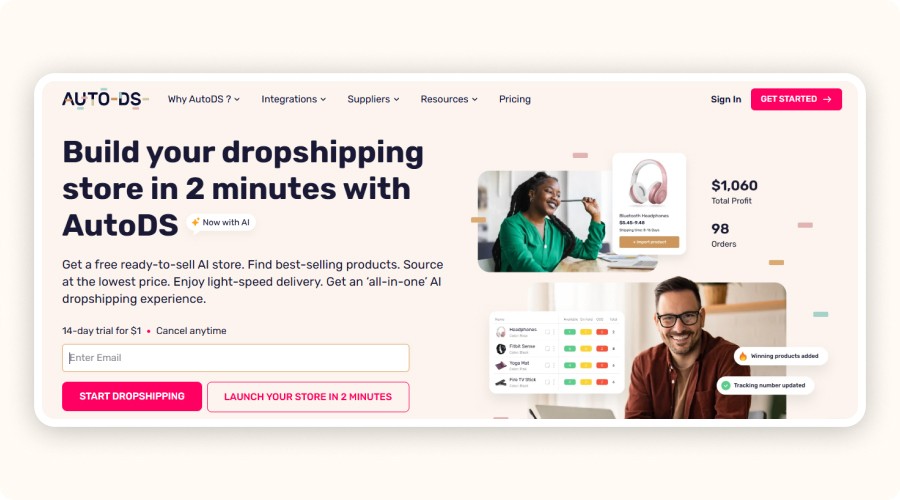
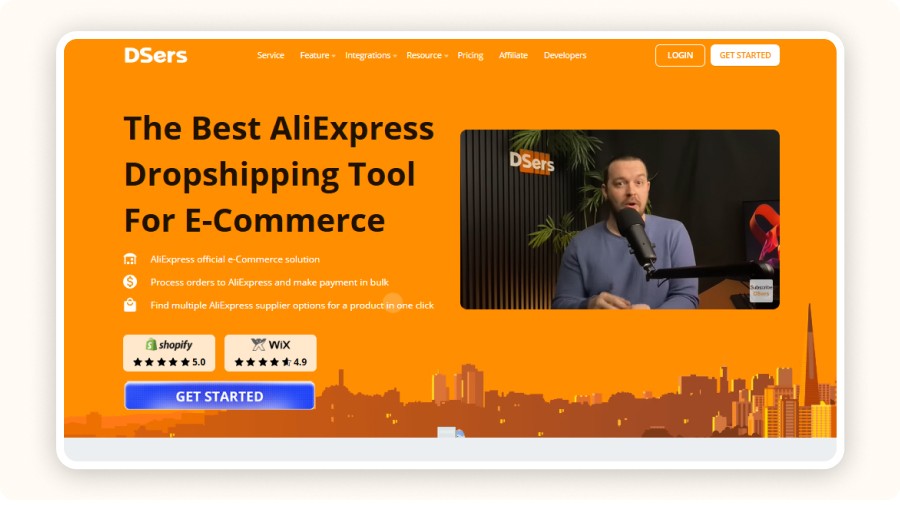
To fill your store without wasting hours, use tools like AutoDS or DSers to automatically import products. These platforms let you add dozens of products in a single click and sync titles, descriptions, photos, and variants instantly. You can also apply default pricing rules during the import process, giving you a fully functional catalog without manual copy-paste.
For stronger SEO, optimize each product page immediately add keywords, adjust variants, and activate smart tags.
Using AutoDS
Log in
Go to Add Products
Paste the product URL (AliExpress, Amazon, etc.) or use the built-in search
Select the items you want
Set pricing rules, margins, variants
Click Import to Store
Using DSers
Connect DSers to AliExpress + your store
Go to Find Products or paste a product URL
Add items to your import list
Edit titles, descriptions, pricing, images
Click Push to Store
Step 3: Automate Price & Inventory Updates
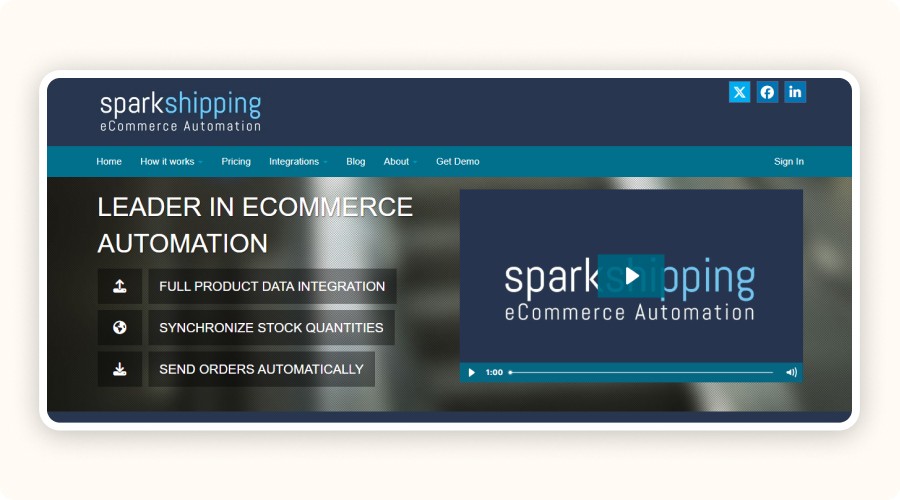
Forget checking stock every morning. With automation tools like Spark Shipping, your inventory syncs automatically through a direct connection with suppliers.
If a product sells out, it’s instantly removed or marked unavailable.
For pricing, activate dynamic rules:
fixed or percentage margins
automatic rounding
MAP price protection
Your pricing stays competitive and profitable, no manual updates needed.
Step 4: Automate Order Processing

Order fulfillment is one of the first tasks you should automate. As soon as a customer pays, your tool automatically sends the order details to the supplier, including the product, shipping address, and delivery option. Suppliers prepare and ship the order, while tracking numbers sync back to the customer automatically. No more manual forwarding. No more errors.
With AutoDS
Open your store settings
Enable Auto Order
Enable Auto Tracking to send tracking numbers automatically
Choose automatic approval delays (instant or delayed)
With DSers
Go to Settings → Order Settings
Enable Auto Order for AliExpress fulfillment
Enable Auto Sync Tracking
Customize validation settings (or let DSers manage everything)
Some tools even send customers their tracking number automatically.
By automating logistics, you reclaim hours each week and ensure flawless fulfillment, letting you focus on growth while orders run on autopilot.
Step 5: Automate Post-Purchase Marketing & Communication

Post-purchase communication is where a buyer becomes a loyal customer. And thanks to automation, you don’t have to do anything manually. As soon as an order is placed, your customer automatically receives:
a confirmation email,
a shipping notification with tracking,
and a thank-you message.
All of this is triggered by your automation tools like Klaviyo, Mailchimp, or Zendesk. These tools connect directly to your store and fire the right actions at the right moment, without any manual work.
With these platforms, you can also build intelligent email sequences. For example:
Cart abandoned? A follow-up is sent 2 hours later.
Package delivered? A satisfaction email goes out with a discount code.
You can even schedule loyalty campaigns, newsletters, and flash sales automatically. And if you're selling on multiple channels, Facebook Marketplace automation can publish product listings automatically, without any manual input.
For social media, the process is just as smooth. Use the same tools or native integrations to schedule posts, stories, and promotions. This helps you stay active, engaging, and professional without spending your evenings creating and posting content manually.
Step 2: Automatically Import Products
To fill your store without wasting hours, use tools like AutoDS or DSers to automatically import products. These platforms let you add dozens of products in a single click and sync titles, descriptions, photos, and variants instantly. You can also apply default pricing rules during the import process, giving you a fully functional catalog without manual copy-paste.
For stronger SEO, optimize each product page immediately add keywords, adjust variants, and activate smart tags.
Using AutoDS
Log in
Go to Add Products
Paste the product URL (AliExpress, Amazon, etc.) or use the built-in search
Select the items you want
Set pricing rules, margins, variants
Click Import to Store
Using DSers
Connect DSers to AliExpress + your store
Go to Find Products or paste a product URL
Add items to your import list
Edit titles, descriptions, pricing, images
Click Push to Store
Step 3: Automate Price & Inventory Updates
Forget checking stock every morning. With automation tools like Spark Shipping, your inventory syncs automatically through a direct connection with suppliers.
If a product sells out, it’s instantly removed or marked unavailable.
For pricing, activate dynamic rules:
fixed or percentage margins
automatic rounding
MAP price protection
Your pricing stays competitive and profitable, no manual updates needed.
Step 4: Automate Order Processing
Order fulfillment is one of the first tasks you should automate. As soon as a customer pays, your tool automatically sends the order details to the supplier, including the product, shipping address, and delivery option. Suppliers prepare and ship the order, while tracking numbers sync back to the customer automatically. No more manual forwarding. No more errors.
With AutoDS
Open your store settings
Enable Auto Order
Enable Auto Tracking to send tracking numbers automatically
Choose automatic approval delays (instant or delayed)
With DSers
Go to Settings → Order Settings
Enable Auto Order for AliExpress fulfillment
Enable Auto Sync Tracking
Customize validation settings (or let DSers manage everything)
Some tools even send customers their tracking number automatically.
By automating logistics, you reclaim hours each week and ensure flawless fulfillment, letting you focus on growth while orders run on autopilot.
Step 5: Automate Post-Purchase Marketing & Communication
Post-purchase communication is where a buyer becomes a loyal customer. And thanks to automation, you don’t have to do anything manually. As soon as an order is placed, your customer automatically receives:
a confirmation email,
a shipping notification with tracking,
and a thank-you message.
All of this is triggered by your automation tools like Klaviyo, Mailchimp, or Zendesk. These tools connect directly to your store and fire the right actions at the right moment, without any manual work.
With these platforms, you can also build intelligent email sequences. For example:
Cart abandoned? A follow-up is sent 2 hours later.
Package delivered? A satisfaction email goes out with a discount code.
You can even schedule loyalty campaigns, newsletters, and flash sales automatically. And if you're selling on multiple channels, Facebook Marketplace automation can publish product listings automatically, without any manual input.
For social media, the process is just as smooth. Use the same tools or native integrations to schedule posts, stories, and promotions. This helps you stay active, engaging, and professional without spending your evenings creating and posting content manually.
Step 2: Automatically Import Products
To fill your store without wasting hours, use tools like AutoDS or DSers to automatically import products. These platforms let you add dozens of products in a single click and sync titles, descriptions, photos, and variants instantly. You can also apply default pricing rules during the import process, giving you a fully functional catalog without manual copy-paste.
For stronger SEO, optimize each product page immediately add keywords, adjust variants, and activate smart tags.
Using AutoDS
Log in
Go to Add Products
Paste the product URL (AliExpress, Amazon, etc.) or use the built-in search
Select the items you want
Set pricing rules, margins, variants
Click Import to Store
Using DSers
Connect DSers to AliExpress + your store
Go to Find Products or paste a product URL
Add items to your import list
Edit titles, descriptions, pricing, images
Click Push to Store
Step 3: Automate Price & Inventory Updates
Forget checking stock every morning. With automation tools like Spark Shipping, your inventory syncs automatically through a direct connection with suppliers.
If a product sells out, it’s instantly removed or marked unavailable.
For pricing, activate dynamic rules:
fixed or percentage margins
automatic rounding
MAP price protection
Your pricing stays competitive and profitable, no manual updates needed.
Step 4: Automate Order Processing
Order fulfillment is one of the first tasks you should automate. As soon as a customer pays, your tool automatically sends the order details to the supplier, including the product, shipping address, and delivery option. Suppliers prepare and ship the order, while tracking numbers sync back to the customer automatically. No more manual forwarding. No more errors.
With AutoDS
Open your store settings
Enable Auto Order
Enable Auto Tracking to send tracking numbers automatically
Choose automatic approval delays (instant or delayed)
With DSers
Go to Settings → Order Settings
Enable Auto Order for AliExpress fulfillment
Enable Auto Sync Tracking
Customize validation settings (or let DSers manage everything)
Some tools even send customers their tracking number automatically.
By automating logistics, you reclaim hours each week and ensure flawless fulfillment, letting you focus on growth while orders run on autopilot.
Step 5: Automate Post-Purchase Marketing & Communication
Post-purchase communication is where a buyer becomes a loyal customer. And thanks to automation, you don’t have to do anything manually. As soon as an order is placed, your customer automatically receives:
a confirmation email,
a shipping notification with tracking,
and a thank-you message.
All of this is triggered by your automation tools like Klaviyo, Mailchimp, or Zendesk. These tools connect directly to your store and fire the right actions at the right moment, without any manual work.
With these platforms, you can also build intelligent email sequences. For example:
Cart abandoned? A follow-up is sent 2 hours later.
Package delivered? A satisfaction email goes out with a discount code.
You can even schedule loyalty campaigns, newsletters, and flash sales automatically. And if you're selling on multiple channels, Facebook Marketplace automation can publish product listings automatically, without any manual input.
For social media, the process is just as smooth. Use the same tools or native integrations to schedule posts, stories, and promotions. This helps you stay active, engaging, and professional without spending your evenings creating and posting content manually.
Step 2: Automatically Import Products
To fill your store without wasting hours, use tools like AutoDS or DSers to automatically import products. These platforms let you add dozens of products in a single click and sync titles, descriptions, photos, and variants instantly. You can also apply default pricing rules during the import process, giving you a fully functional catalog without manual copy-paste.
For stronger SEO, optimize each product page immediately add keywords, adjust variants, and activate smart tags.
Using AutoDS
Log in
Go to Add Products
Paste the product URL (AliExpress, Amazon, etc.) or use the built-in search
Select the items you want
Set pricing rules, margins, variants
Click Import to Store
Using DSers
Connect DSers to AliExpress + your store
Go to Find Products or paste a product URL
Add items to your import list
Edit titles, descriptions, pricing, images
Click Push to Store
Step 3: Automate Price & Inventory Updates
Forget checking stock every morning. With automation tools like Spark Shipping, your inventory syncs automatically through a direct connection with suppliers.
If a product sells out, it’s instantly removed or marked unavailable.
For pricing, activate dynamic rules:
fixed or percentage margins
automatic rounding
MAP price protection
Your pricing stays competitive and profitable, no manual updates needed.
Step 4: Automate Order Processing
Order fulfillment is one of the first tasks you should automate. As soon as a customer pays, your tool automatically sends the order details to the supplier, including the product, shipping address, and delivery option. Suppliers prepare and ship the order, while tracking numbers sync back to the customer automatically. No more manual forwarding. No more errors.
With AutoDS
Open your store settings
Enable Auto Order
Enable Auto Tracking to send tracking numbers automatically
Choose automatic approval delays (instant or delayed)
With DSers
Go to Settings → Order Settings
Enable Auto Order for AliExpress fulfillment
Enable Auto Sync Tracking
Customize validation settings (or let DSers manage everything)
Some tools even send customers their tracking number automatically.
By automating logistics, you reclaim hours each week and ensure flawless fulfillment, letting you focus on growth while orders run on autopilot.
Step 5: Automate Post-Purchase Marketing & Communication
Post-purchase communication is where a buyer becomes a loyal customer. And thanks to automation, you don’t have to do anything manually. As soon as an order is placed, your customer automatically receives:
a confirmation email,
a shipping notification with tracking,
and a thank-you message.
All of this is triggered by your automation tools like Klaviyo, Mailchimp, or Zendesk. These tools connect directly to your store and fire the right actions at the right moment, without any manual work.
With these platforms, you can also build intelligent email sequences. For example:
Cart abandoned? A follow-up is sent 2 hours later.
Package delivered? A satisfaction email goes out with a discount code.
You can even schedule loyalty campaigns, newsletters, and flash sales automatically. And if you're selling on multiple channels, Facebook Marketplace automation can publish product listings automatically, without any manual input.
For social media, the process is just as smooth. Use the same tools or native integrations to schedule posts, stories, and promotions. This helps you stay active, engaging, and professional without spending your evenings creating and posting content manually.
Step 2: Automatically Import Products
To fill your store without wasting hours, use tools like AutoDS or DSers to automatically import products. These platforms let you add dozens of products in a single click and sync titles, descriptions, photos, and variants instantly. You can also apply default pricing rules during the import process, giving you a fully functional catalog without manual copy-paste.
For stronger SEO, optimize each product page immediately add keywords, adjust variants, and activate smart tags.
Using AutoDS
Log in
Go to Add Products
Paste the product URL (AliExpress, Amazon, etc.) or use the built-in search
Select the items you want
Set pricing rules, margins, variants
Click Import to Store
Using DSers
Connect DSers to AliExpress + your store
Go to Find Products or paste a product URL
Add items to your import list
Edit titles, descriptions, pricing, images
Click Push to Store
Step 3: Automate Price & Inventory Updates
Forget checking stock every morning. With automation tools like Spark Shipping, your inventory syncs automatically through a direct connection with suppliers.
If a product sells out, it’s instantly removed or marked unavailable.
For pricing, activate dynamic rules:
fixed or percentage margins
automatic rounding
MAP price protection
Your pricing stays competitive and profitable, no manual updates needed.
Step 4: Automate Order Processing
Order fulfillment is one of the first tasks you should automate. As soon as a customer pays, your tool automatically sends the order details to the supplier, including the product, shipping address, and delivery option. Suppliers prepare and ship the order, while tracking numbers sync back to the customer automatically. No more manual forwarding. No more errors.
With AutoDS
Open your store settings
Enable Auto Order
Enable Auto Tracking to send tracking numbers automatically
Choose automatic approval delays (instant or delayed)
With DSers
Go to Settings → Order Settings
Enable Auto Order for AliExpress fulfillment
Enable Auto Sync Tracking
Customize validation settings (or let DSers manage everything)
Some tools even send customers their tracking number automatically.
By automating logistics, you reclaim hours each week and ensure flawless fulfillment, letting you focus on growth while orders run on autopilot.
Step 5: Automate Post-Purchase Marketing & Communication
Post-purchase communication is where a buyer becomes a loyal customer. And thanks to automation, you don’t have to do anything manually. As soon as an order is placed, your customer automatically receives:
a confirmation email,
a shipping notification with tracking,
and a thank-you message.
All of this is triggered by your automation tools like Klaviyo, Mailchimp, or Zendesk. These tools connect directly to your store and fire the right actions at the right moment, without any manual work.
With these platforms, you can also build intelligent email sequences. For example:
Cart abandoned? A follow-up is sent 2 hours later.
Package delivered? A satisfaction email goes out with a discount code.
You can even schedule loyalty campaigns, newsletters, and flash sales automatically. And if you're selling on multiple channels, Facebook Marketplace automation can publish product listings automatically, without any manual input.
For social media, the process is just as smooth. Use the same tools or native integrations to schedule posts, stories, and promotions. This helps you stay active, engaging, and professional without spending your evenings creating and posting content manually.
Step 2: Automatically Import Products
To fill your store without wasting hours, use tools like AutoDS or DSers to automatically import products. These platforms let you add dozens of products in a single click and sync titles, descriptions, photos, and variants instantly. You can also apply default pricing rules during the import process, giving you a fully functional catalog without manual copy-paste.
For stronger SEO, optimize each product page immediately add keywords, adjust variants, and activate smart tags.
Using AutoDS
Log in
Go to Add Products
Paste the product URL (AliExpress, Amazon, etc.) or use the built-in search
Select the items you want
Set pricing rules, margins, variants
Click Import to Store
Using DSers
Connect DSers to AliExpress + your store
Go to Find Products or paste a product URL
Add items to your import list
Edit titles, descriptions, pricing, images
Click Push to Store
Step 3: Automate Price & Inventory Updates
Forget checking stock every morning. With automation tools like Spark Shipping, your inventory syncs automatically through a direct connection with suppliers.
If a product sells out, it’s instantly removed or marked unavailable.
For pricing, activate dynamic rules:
fixed or percentage margins
automatic rounding
MAP price protection
Your pricing stays competitive and profitable, no manual updates needed.
Step 4: Automate Order Processing
Order fulfillment is one of the first tasks you should automate. As soon as a customer pays, your tool automatically sends the order details to the supplier, including the product, shipping address, and delivery option. Suppliers prepare and ship the order, while tracking numbers sync back to the customer automatically. No more manual forwarding. No more errors.
With AutoDS
Open your store settings
Enable Auto Order
Enable Auto Tracking to send tracking numbers automatically
Choose automatic approval delays (instant or delayed)
With DSers
Go to Settings → Order Settings
Enable Auto Order for AliExpress fulfillment
Enable Auto Sync Tracking
Customize validation settings (or let DSers manage everything)
Some tools even send customers their tracking number automatically.
By automating logistics, you reclaim hours each week and ensure flawless fulfillment, letting you focus on growth while orders run on autopilot.
Step 5: Automate Post-Purchase Marketing & Communication
Post-purchase communication is where a buyer becomes a loyal customer. And thanks to automation, you don’t have to do anything manually. As soon as an order is placed, your customer automatically receives:
a confirmation email,
a shipping notification with tracking,
and a thank-you message.
All of this is triggered by your automation tools like Klaviyo, Mailchimp, or Zendesk. These tools connect directly to your store and fire the right actions at the right moment, without any manual work.
With these platforms, you can also build intelligent email sequences. For example:
Cart abandoned? A follow-up is sent 2 hours later.
Package delivered? A satisfaction email goes out with a discount code.
You can even schedule loyalty campaigns, newsletters, and flash sales automatically. And if you're selling on multiple channels, Facebook Marketplace automation can publish product listings automatically, without any manual input.
For social media, the process is just as smooth. Use the same tools or native integrations to schedule posts, stories, and promotions. This helps you stay active, engaging, and professional without spending your evenings creating and posting content manually.
Top 10 Facebook ads
Top 10 Facebook ads
Top 10 Facebook ads
Top 10 Facebook ads
Top 10 Facebook ads
Top 10 Facebook ads
Automating Dropshipping by Platform: Step-by-Step Tutorials
Different platforms require different setups. Whether you sell on Shopify, Amazon, eBay, or WooCommerce, you must connect the right tools to automate dropshipping end-to-end from product importing to order fulfillment.
Shopify

Shopify is the easiest platform to automate dropshipping. Everything is already designed for it. The moment you create your store, you can install apps from the Shopify App Store in one click.
Here are the most popular Shopify automation tools:
AutoDS – product importing, inventory sync, automated orders, tracking updates
DSers – AliExpress’ official solution, fast and simple to configure
Spocket – access to US/EU suppliers with fast delivery times
Integration is fully plug-and-play, no coding, no complex settings. Install the app, connect your account, and you’re ready to automate product imports, inventory updates, order routing, and even post-purchase communication.
To strengthen social proof, many sellers also add Amazon reviews to Shopify for higher trust and conversions.
WooCommerce
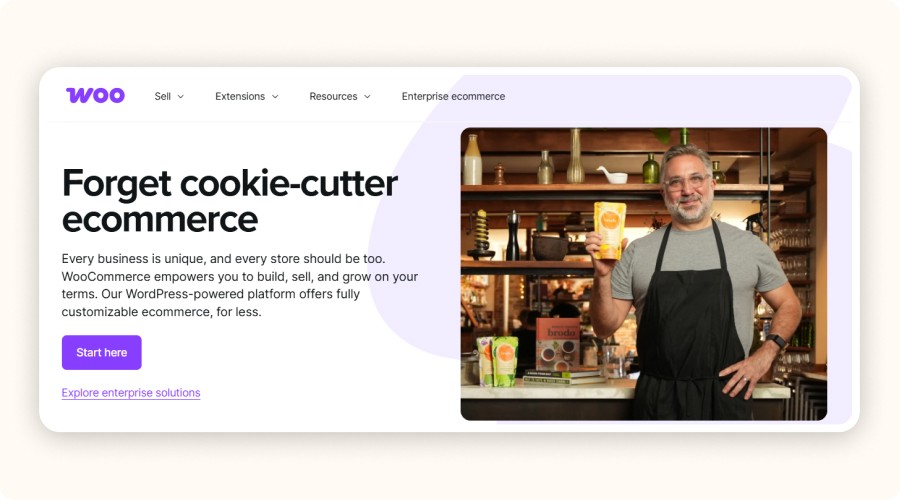
WooCommerce gives you more flexibility, but it requires a bit more technical setup. You’ll need compatible extensions (plugins) to automate efficiently.
With tools like AliDropship Woo or ShopMaster, you can automate:
product importing from AliExpress
inventory synchronization
automatic order processing
If you choose WooCommerce, make sure your plugins stay updated and compatible with your WordPress theme.
Once configured correctly, the system runs on autopilot. WooCommerce is perfect for sellers who want a fully customized store with complete control.
Amazon
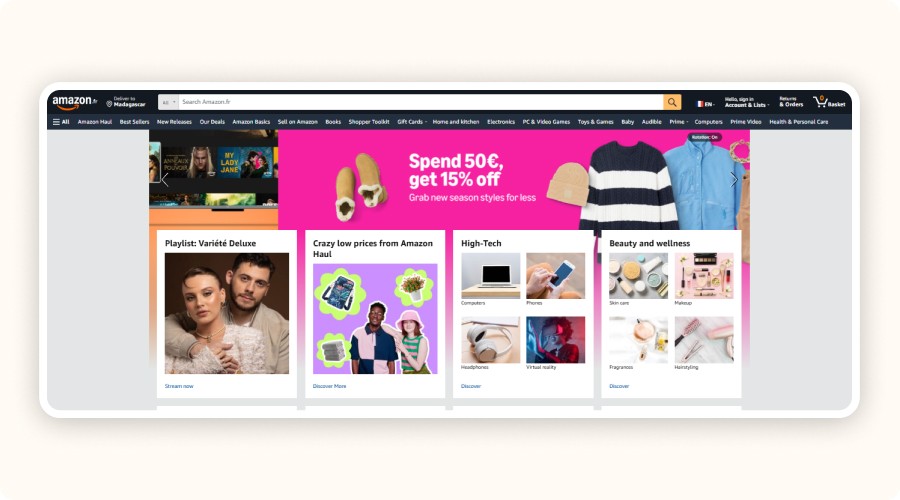
Doing dropshipping on Amazon requires you to be the official seller. Your name appears on invoices, and you must handle customer support yourself. To automate operations, stock updates, pricing, and order fulfillment, use tools compatible with the Amazon API, such as:
AutoDS (Amazon version)
CedCommerce – syncs products, prices, inventory, and orders automatically
These tools allow you to manage high volumes without errors.
However, make sure you respect Amazon’s policies; otherwise, your account may be suspended.
eBay & AliExpress
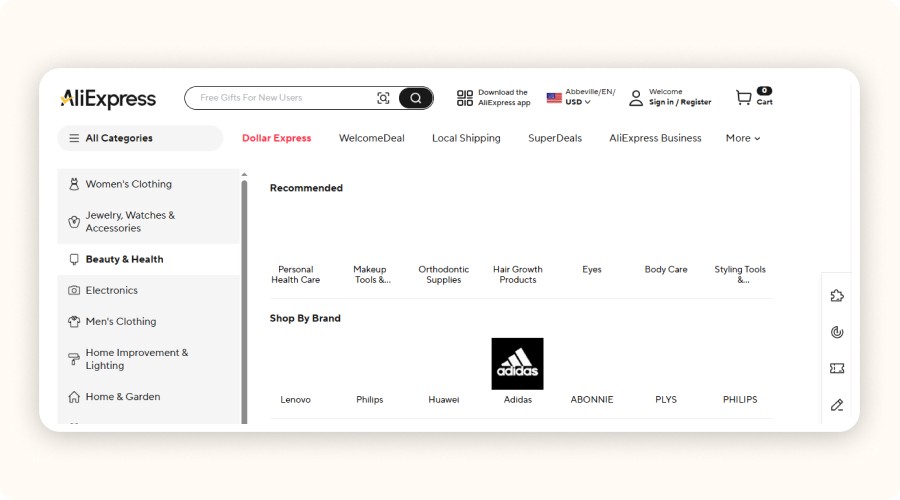
On eBay, you can automate most tasks using tools like AutoDS, which allows you to:
sync inventory in real time
update prices dynamically
automatically forward orders to suppliers
This helps you avoid selling out-of-stock products or losing profit margins.
On the AliExpress side, the must-have tool is DSers. It integrates with Shopify, WooCommerce, and even Wix, offering:
one-click product importing
automated tracking updates
bulk order processing
You can even group multiple orders together and use the bulk order feature to process hundreds of orders in seconds.
Errors and Limitations of Dropshipping Automation

Automation is powerful, but relying on it blindly is a mistake. If you want a profitable, reliable business, avoid these common traps.
Relying Only on Automation
Even the best automation tools can’t manage your entire store without supervision. Rules you set when you launched your dropshipping store can become outdated margin changes, supplier delays, new fees, or policy updates. If you don’t revise them regularly, your profitability drops fast.
Ignoring Supplier Delays
An automation tool can send a customer order automatically, but it can’t control how fast a supplier ships.
If a supplier takes five days instead of 24 hours, your customer will be frustrated—and you’ll get negative reviews.
Identify unreliable suppliers quickly. Tools like AutoDS offer performance scores to help you filter suppliers early.
Skipping Workflow Testing
Before automating anything, test your workflows:
A test order for each supplier
A simulated return
A stock variation test
Testing helps you detect automation bugs before they impact real customers.
Lack of Basic Technical Skills
Connecting a store, setting pricing rules, configuring APIs without basic technical knowledge, you risk misconfigurations. This can cost you: wrong margins, undetected stockouts, unprocessed orders. Train yourself on how your tools work. Watch tutorials, read documentation, or contact support when needed.
Automating Dropshipping by Platform: Step-by-Step Tutorials
Different platforms require different setups. Whether you sell on Shopify, Amazon, eBay, or WooCommerce, you must connect the right tools to automate dropshipping end-to-end from product importing to order fulfillment.
Shopify
Shopify is the easiest platform to automate dropshipping. Everything is already designed for it. The moment you create your store, you can install apps from the Shopify App Store in one click.
Here are the most popular Shopify automation tools:
AutoDS – product importing, inventory sync, automated orders, tracking updates
DSers – AliExpress’ official solution, fast and simple to configure
Spocket – access to US/EU suppliers with fast delivery times
Integration is fully plug-and-play, no coding, no complex settings. Install the app, connect your account, and you’re ready to automate product imports, inventory updates, order routing, and even post-purchase communication.
To strengthen social proof, many sellers also add Amazon reviews to Shopify for higher trust and conversions.
WooCommerce
WooCommerce gives you more flexibility, but it requires a bit more technical setup. You’ll need compatible extensions (plugins) to automate efficiently.
With tools like AliDropship Woo or ShopMaster, you can automate:
product importing from AliExpress
inventory synchronization
automatic order processing
If you choose WooCommerce, make sure your plugins stay updated and compatible with your WordPress theme.
Once configured correctly, the system runs on autopilot. WooCommerce is perfect for sellers who want a fully customized store with complete control.
Amazon
Doing dropshipping on Amazon requires you to be the official seller. Your name appears on invoices, and you must handle customer support yourself. To automate operations, stock updates, pricing, and order fulfillment, use tools compatible with the Amazon API, such as:
AutoDS (Amazon version)
CedCommerce – syncs products, prices, inventory, and orders automatically
These tools allow you to manage high volumes without errors.
However, make sure you respect Amazon’s policies; otherwise, your account may be suspended.
eBay & AliExpress
On eBay, you can automate most tasks using tools like AutoDS, which allows you to:
sync inventory in real time
update prices dynamically
automatically forward orders to suppliers
This helps you avoid selling out-of-stock products or losing profit margins.
On the AliExpress side, the must-have tool is DSers. It integrates with Shopify, WooCommerce, and even Wix, offering:
one-click product importing
automated tracking updates
bulk order processing
You can even group multiple orders together and use the bulk order feature to process hundreds of orders in seconds.
Errors and Limitations of Dropshipping Automation
Automation is powerful, but relying on it blindly is a mistake. If you want a profitable, reliable business, avoid these common traps.
Relying Only on Automation
Even the best automation tools can’t manage your entire store without supervision. Rules you set when you launched your dropshipping store can become outdated margin changes, supplier delays, new fees, or policy updates. If you don’t revise them regularly, your profitability drops fast.
Ignoring Supplier Delays
An automation tool can send a customer order automatically, but it can’t control how fast a supplier ships.
If a supplier takes five days instead of 24 hours, your customer will be frustrated—and you’ll get negative reviews.
Identify unreliable suppliers quickly. Tools like AutoDS offer performance scores to help you filter suppliers early.
Skipping Workflow Testing
Before automating anything, test your workflows:
A test order for each supplier
A simulated return
A stock variation test
Testing helps you detect automation bugs before they impact real customers.
Lack of Basic Technical Skills
Connecting a store, setting pricing rules, configuring APIs without basic technical knowledge, you risk misconfigurations. This can cost you: wrong margins, undetected stockouts, unprocessed orders. Train yourself on how your tools work. Watch tutorials, read documentation, or contact support when needed.
Automating Dropshipping by Platform: Step-by-Step Tutorials
Different platforms require different setups. Whether you sell on Shopify, Amazon, eBay, or WooCommerce, you must connect the right tools to automate dropshipping end-to-end from product importing to order fulfillment.
Shopify
Shopify is the easiest platform to automate dropshipping. Everything is already designed for it. The moment you create your store, you can install apps from the Shopify App Store in one click.
Here are the most popular Shopify automation tools:
AutoDS – product importing, inventory sync, automated orders, tracking updates
DSers – AliExpress’ official solution, fast and simple to configure
Spocket – access to US/EU suppliers with fast delivery times
Integration is fully plug-and-play, no coding, no complex settings. Install the app, connect your account, and you’re ready to automate product imports, inventory updates, order routing, and even post-purchase communication.
To strengthen social proof, many sellers also add Amazon reviews to Shopify for higher trust and conversions.
WooCommerce
WooCommerce gives you more flexibility, but it requires a bit more technical setup. You’ll need compatible extensions (plugins) to automate efficiently.
With tools like AliDropship Woo or ShopMaster, you can automate:
product importing from AliExpress
inventory synchronization
automatic order processing
If you choose WooCommerce, make sure your plugins stay updated and compatible with your WordPress theme.
Once configured correctly, the system runs on autopilot. WooCommerce is perfect for sellers who want a fully customized store with complete control.
Amazon
Doing dropshipping on Amazon requires you to be the official seller. Your name appears on invoices, and you must handle customer support yourself. To automate operations, stock updates, pricing, and order fulfillment, use tools compatible with the Amazon API, such as:
AutoDS (Amazon version)
CedCommerce – syncs products, prices, inventory, and orders automatically
These tools allow you to manage high volumes without errors.
However, make sure you respect Amazon’s policies; otherwise, your account may be suspended.
eBay & AliExpress
On eBay, you can automate most tasks using tools like AutoDS, which allows you to:
sync inventory in real time
update prices dynamically
automatically forward orders to suppliers
This helps you avoid selling out-of-stock products or losing profit margins.
On the AliExpress side, the must-have tool is DSers. It integrates with Shopify, WooCommerce, and even Wix, offering:
one-click product importing
automated tracking updates
bulk order processing
You can even group multiple orders together and use the bulk order feature to process hundreds of orders in seconds.
Errors and Limitations of Dropshipping Automation
Automation is powerful, but relying on it blindly is a mistake. If you want a profitable, reliable business, avoid these common traps.
Relying Only on Automation
Even the best automation tools can’t manage your entire store without supervision. Rules you set when you launched your dropshipping store can become outdated margin changes, supplier delays, new fees, or policy updates. If you don’t revise them regularly, your profitability drops fast.
Ignoring Supplier Delays
An automation tool can send a customer order automatically, but it can’t control how fast a supplier ships.
If a supplier takes five days instead of 24 hours, your customer will be frustrated—and you’ll get negative reviews.
Identify unreliable suppliers quickly. Tools like AutoDS offer performance scores to help you filter suppliers early.
Skipping Workflow Testing
Before automating anything, test your workflows:
A test order for each supplier
A simulated return
A stock variation test
Testing helps you detect automation bugs before they impact real customers.
Lack of Basic Technical Skills
Connecting a store, setting pricing rules, configuring APIs without basic technical knowledge, you risk misconfigurations. This can cost you: wrong margins, undetected stockouts, unprocessed orders. Train yourself on how your tools work. Watch tutorials, read documentation, or contact support when needed.
Automating Dropshipping by Platform: Step-by-Step Tutorials
Different platforms require different setups. Whether you sell on Shopify, Amazon, eBay, or WooCommerce, you must connect the right tools to automate dropshipping end-to-end from product importing to order fulfillment.
Shopify
Shopify is the easiest platform to automate dropshipping. Everything is already designed for it. The moment you create your store, you can install apps from the Shopify App Store in one click.
Here are the most popular Shopify automation tools:
AutoDS – product importing, inventory sync, automated orders, tracking updates
DSers – AliExpress’ official solution, fast and simple to configure
Spocket – access to US/EU suppliers with fast delivery times
Integration is fully plug-and-play, no coding, no complex settings. Install the app, connect your account, and you’re ready to automate product imports, inventory updates, order routing, and even post-purchase communication.
To strengthen social proof, many sellers also add Amazon reviews to Shopify for higher trust and conversions.
WooCommerce
WooCommerce gives you more flexibility, but it requires a bit more technical setup. You’ll need compatible extensions (plugins) to automate efficiently.
With tools like AliDropship Woo or ShopMaster, you can automate:
product importing from AliExpress
inventory synchronization
automatic order processing
If you choose WooCommerce, make sure your plugins stay updated and compatible with your WordPress theme.
Once configured correctly, the system runs on autopilot. WooCommerce is perfect for sellers who want a fully customized store with complete control.
Amazon
Doing dropshipping on Amazon requires you to be the official seller. Your name appears on invoices, and you must handle customer support yourself. To automate operations, stock updates, pricing, and order fulfillment, use tools compatible with the Amazon API, such as:
AutoDS (Amazon version)
CedCommerce – syncs products, prices, inventory, and orders automatically
These tools allow you to manage high volumes without errors.
However, make sure you respect Amazon’s policies; otherwise, your account may be suspended.
eBay & AliExpress
On eBay, you can automate most tasks using tools like AutoDS, which allows you to:
sync inventory in real time
update prices dynamically
automatically forward orders to suppliers
This helps you avoid selling out-of-stock products or losing profit margins.
On the AliExpress side, the must-have tool is DSers. It integrates with Shopify, WooCommerce, and even Wix, offering:
one-click product importing
automated tracking updates
bulk order processing
You can even group multiple orders together and use the bulk order feature to process hundreds of orders in seconds.
Errors and Limitations of Dropshipping Automation
Automation is powerful, but relying on it blindly is a mistake. If you want a profitable, reliable business, avoid these common traps.
Relying Only on Automation
Even the best automation tools can’t manage your entire store without supervision. Rules you set when you launched your dropshipping store can become outdated margin changes, supplier delays, new fees, or policy updates. If you don’t revise them regularly, your profitability drops fast.
Ignoring Supplier Delays
An automation tool can send a customer order automatically, but it can’t control how fast a supplier ships.
If a supplier takes five days instead of 24 hours, your customer will be frustrated—and you’ll get negative reviews.
Identify unreliable suppliers quickly. Tools like AutoDS offer performance scores to help you filter suppliers early.
Skipping Workflow Testing
Before automating anything, test your workflows:
A test order for each supplier
A simulated return
A stock variation test
Testing helps you detect automation bugs before they impact real customers.
Lack of Basic Technical Skills
Connecting a store, setting pricing rules, configuring APIs without basic technical knowledge, you risk misconfigurations. This can cost you: wrong margins, undetected stockouts, unprocessed orders. Train yourself on how your tools work. Watch tutorials, read documentation, or contact support when needed.
Automating Dropshipping by Platform: Step-by-Step Tutorials
Different platforms require different setups. Whether you sell on Shopify, Amazon, eBay, or WooCommerce, you must connect the right tools to automate dropshipping end-to-end from product importing to order fulfillment.
Shopify
Shopify is the easiest platform to automate dropshipping. Everything is already designed for it. The moment you create your store, you can install apps from the Shopify App Store in one click.
Here are the most popular Shopify automation tools:
AutoDS – product importing, inventory sync, automated orders, tracking updates
DSers – AliExpress’ official solution, fast and simple to configure
Spocket – access to US/EU suppliers with fast delivery times
Integration is fully plug-and-play, no coding, no complex settings. Install the app, connect your account, and you’re ready to automate product imports, inventory updates, order routing, and even post-purchase communication.
To strengthen social proof, many sellers also add Amazon reviews to Shopify for higher trust and conversions.
WooCommerce
WooCommerce gives you more flexibility, but it requires a bit more technical setup. You’ll need compatible extensions (plugins) to automate efficiently.
With tools like AliDropship Woo or ShopMaster, you can automate:
product importing from AliExpress
inventory synchronization
automatic order processing
If you choose WooCommerce, make sure your plugins stay updated and compatible with your WordPress theme.
Once configured correctly, the system runs on autopilot. WooCommerce is perfect for sellers who want a fully customized store with complete control.
Amazon
Doing dropshipping on Amazon requires you to be the official seller. Your name appears on invoices, and you must handle customer support yourself. To automate operations, stock updates, pricing, and order fulfillment, use tools compatible with the Amazon API, such as:
AutoDS (Amazon version)
CedCommerce – syncs products, prices, inventory, and orders automatically
These tools allow you to manage high volumes without errors.
However, make sure you respect Amazon’s policies; otherwise, your account may be suspended.
eBay & AliExpress
On eBay, you can automate most tasks using tools like AutoDS, which allows you to:
sync inventory in real time
update prices dynamically
automatically forward orders to suppliers
This helps you avoid selling out-of-stock products or losing profit margins.
On the AliExpress side, the must-have tool is DSers. It integrates with Shopify, WooCommerce, and even Wix, offering:
one-click product importing
automated tracking updates
bulk order processing
You can even group multiple orders together and use the bulk order feature to process hundreds of orders in seconds.
Errors and Limitations of Dropshipping Automation
Automation is powerful, but relying on it blindly is a mistake. If you want a profitable, reliable business, avoid these common traps.
Relying Only on Automation
Even the best automation tools can’t manage your entire store without supervision. Rules you set when you launched your dropshipping store can become outdated margin changes, supplier delays, new fees, or policy updates. If you don’t revise them regularly, your profitability drops fast.
Ignoring Supplier Delays
An automation tool can send a customer order automatically, but it can’t control how fast a supplier ships.
If a supplier takes five days instead of 24 hours, your customer will be frustrated—and you’ll get negative reviews.
Identify unreliable suppliers quickly. Tools like AutoDS offer performance scores to help you filter suppliers early.
Skipping Workflow Testing
Before automating anything, test your workflows:
A test order for each supplier
A simulated return
A stock variation test
Testing helps you detect automation bugs before they impact real customers.
Lack of Basic Technical Skills
Connecting a store, setting pricing rules, configuring APIs without basic technical knowledge, you risk misconfigurations. This can cost you: wrong margins, undetected stockouts, unprocessed orders. Train yourself on how your tools work. Watch tutorials, read documentation, or contact support when needed.
Automating Dropshipping by Platform: Step-by-Step Tutorials
Different platforms require different setups. Whether you sell on Shopify, Amazon, eBay, or WooCommerce, you must connect the right tools to automate dropshipping end-to-end from product importing to order fulfillment.
Shopify
Shopify is the easiest platform to automate dropshipping. Everything is already designed for it. The moment you create your store, you can install apps from the Shopify App Store in one click.
Here are the most popular Shopify automation tools:
AutoDS – product importing, inventory sync, automated orders, tracking updates
DSers – AliExpress’ official solution, fast and simple to configure
Spocket – access to US/EU suppliers with fast delivery times
Integration is fully plug-and-play, no coding, no complex settings. Install the app, connect your account, and you’re ready to automate product imports, inventory updates, order routing, and even post-purchase communication.
To strengthen social proof, many sellers also add Amazon reviews to Shopify for higher trust and conversions.
WooCommerce
WooCommerce gives you more flexibility, but it requires a bit more technical setup. You’ll need compatible extensions (plugins) to automate efficiently.
With tools like AliDropship Woo or ShopMaster, you can automate:
product importing from AliExpress
inventory synchronization
automatic order processing
If you choose WooCommerce, make sure your plugins stay updated and compatible with your WordPress theme.
Once configured correctly, the system runs on autopilot. WooCommerce is perfect for sellers who want a fully customized store with complete control.
Amazon
Doing dropshipping on Amazon requires you to be the official seller. Your name appears on invoices, and you must handle customer support yourself. To automate operations, stock updates, pricing, and order fulfillment, use tools compatible with the Amazon API, such as:
AutoDS (Amazon version)
CedCommerce – syncs products, prices, inventory, and orders automatically
These tools allow you to manage high volumes without errors.
However, make sure you respect Amazon’s policies; otherwise, your account may be suspended.
eBay & AliExpress
On eBay, you can automate most tasks using tools like AutoDS, which allows you to:
sync inventory in real time
update prices dynamically
automatically forward orders to suppliers
This helps you avoid selling out-of-stock products or losing profit margins.
On the AliExpress side, the must-have tool is DSers. It integrates with Shopify, WooCommerce, and even Wix, offering:
one-click product importing
automated tracking updates
bulk order processing
You can even group multiple orders together and use the bulk order feature to process hundreds of orders in seconds.
Errors and Limitations of Dropshipping Automation
Automation is powerful, but relying on it blindly is a mistake. If you want a profitable, reliable business, avoid these common traps.
Relying Only on Automation
Even the best automation tools can’t manage your entire store without supervision. Rules you set when you launched your dropshipping store can become outdated margin changes, supplier delays, new fees, or policy updates. If you don’t revise them regularly, your profitability drops fast.
Ignoring Supplier Delays
An automation tool can send a customer order automatically, but it can’t control how fast a supplier ships.
If a supplier takes five days instead of 24 hours, your customer will be frustrated—and you’ll get negative reviews.
Identify unreliable suppliers quickly. Tools like AutoDS offer performance scores to help you filter suppliers early.
Skipping Workflow Testing
Before automating anything, test your workflows:
A test order for each supplier
A simulated return
A stock variation test
Testing helps you detect automation bugs before they impact real customers.
Lack of Basic Technical Skills
Connecting a store, setting pricing rules, configuring APIs without basic technical knowledge, you risk misconfigurations. This can cost you: wrong margins, undetected stockouts, unprocessed orders. Train yourself on how your tools work. Watch tutorials, read documentation, or contact support when needed.

How to Monitor and Optimize Your Automation Strategy

Automation works only if you monitor and optimize it. Without that, it’s like flying on autopilot with no dashboard, sooner or later, things go wrong.
Monitor Performance in Real Time
Check your analytics dashboards frequently. You should always know:
How many orders are automated
Average fulfillment time
Stockout rate
Sync or routing errors
This makes it easier to spot issues before they become expensive.
Track the Most Important KPIs
Some KPIs are non-negotiable in a growing dropshipping business:
Order processing time: if it exceeds 48 hours, something is stuck.
Stockout rate: anything above 3–5% signals a bad supplier or poorly calibrated inventory rules.
Profit margin: if it drops unexpectedly, check your pricing rules.
Adjust Your Rules as Needed
When configured well, automated workflows are efficient. But you must adjust them regularly:
pricing rules (minimum margins, auto-rounding)
auto-order approval delays (instant or delayed)
stock alerts and long-delivery alerts
The secret: observe, test, adjust.
Conclusion: Put Your Dropshipping Business on Autopilot in 2025
Automating your dropshipping store saves time, reduces human error, and increases profitability without adding extra workload. With tools like AutoDS, Spocket, or DSers, every step from product importing to order processing becomes smooth and fast.
To succeed, test before scaling. Each platform operates differently, so experiment to find the best automation setup for your products.
And even with automation, stay in control: monitor your stock, margins, and supplier delays. Adjust your rules, test new sequences, and track conversion rates.
Automation frees you, but smart management helps you grow
FAQ
How do I automate dropshipping in 2025?
You can automate dropshipping by using tools like AutoDS, DSers, or Spocket to handle product imports, stock syncing, dynamic pricing, and automatic order fulfillment. Combined with email automation tools like Klaviyo or Mailchimp, your entire workflow runs on autopilot.
How do I automate dropshipping on Shopify?
Shopify automation is plug-and-play. Install apps like AutoDS, DSers, or Spocket from the Shopify App Store, then enable features like auto-import, auto-ordering, tracking sync, and automated price updates. No coding required.
How do I automate AliExpress and Amazon dropshipping?
For AliExpress, DSers is the official automation solution. For Amazon, use AutoDS (Amazon version) or CedCommerce to sync products, update stock and pricing, and automate fulfillment while staying compliant with Amazon’s policies.
How to Monitor and Optimize Your Automation Strategy
Automation works only if you monitor and optimize it. Without that, it’s like flying on autopilot with no dashboard, sooner or later, things go wrong.
Monitor Performance in Real Time
Check your analytics dashboards frequently. You should always know:
How many orders are automated
Average fulfillment time
Stockout rate
Sync or routing errors
This makes it easier to spot issues before they become expensive.
Track the Most Important KPIs
Some KPIs are non-negotiable in a growing dropshipping business:
Order processing time: if it exceeds 48 hours, something is stuck.
Stockout rate: anything above 3–5% signals a bad supplier or poorly calibrated inventory rules.
Profit margin: if it drops unexpectedly, check your pricing rules.
Adjust Your Rules as Needed
When configured well, automated workflows are efficient. But you must adjust them regularly:
pricing rules (minimum margins, auto-rounding)
auto-order approval delays (instant or delayed)
stock alerts and long-delivery alerts
The secret: observe, test, adjust.
Conclusion: Put Your Dropshipping Business on Autopilot in 2025
Automating your dropshipping store saves time, reduces human error, and increases profitability without adding extra workload. With tools like AutoDS, Spocket, or DSers, every step from product importing to order processing becomes smooth and fast.
To succeed, test before scaling. Each platform operates differently, so experiment to find the best automation setup for your products.
And even with automation, stay in control: monitor your stock, margins, and supplier delays. Adjust your rules, test new sequences, and track conversion rates.
Automation frees you, but smart management helps you grow
FAQ
How do I automate dropshipping in 2025?
You can automate dropshipping by using tools like AutoDS, DSers, or Spocket to handle product imports, stock syncing, dynamic pricing, and automatic order fulfillment. Combined with email automation tools like Klaviyo or Mailchimp, your entire workflow runs on autopilot.
How do I automate dropshipping on Shopify?
Shopify automation is plug-and-play. Install apps like AutoDS, DSers, or Spocket from the Shopify App Store, then enable features like auto-import, auto-ordering, tracking sync, and automated price updates. No coding required.
How do I automate AliExpress and Amazon dropshipping?
For AliExpress, DSers is the official automation solution. For Amazon, use AutoDS (Amazon version) or CedCommerce to sync products, update stock and pricing, and automate fulfillment while staying compliant with Amazon’s policies.
How to Monitor and Optimize Your Automation Strategy
Automation works only if you monitor and optimize it. Without that, it’s like flying on autopilot with no dashboard, sooner or later, things go wrong.
Monitor Performance in Real Time
Check your analytics dashboards frequently. You should always know:
How many orders are automated
Average fulfillment time
Stockout rate
Sync or routing errors
This makes it easier to spot issues before they become expensive.
Track the Most Important KPIs
Some KPIs are non-negotiable in a growing dropshipping business:
Order processing time: if it exceeds 48 hours, something is stuck.
Stockout rate: anything above 3–5% signals a bad supplier or poorly calibrated inventory rules.
Profit margin: if it drops unexpectedly, check your pricing rules.
Adjust Your Rules as Needed
When configured well, automated workflows are efficient. But you must adjust them regularly:
pricing rules (minimum margins, auto-rounding)
auto-order approval delays (instant or delayed)
stock alerts and long-delivery alerts
The secret: observe, test, adjust.
Conclusion: Put Your Dropshipping Business on Autopilot in 2025
Automating your dropshipping store saves time, reduces human error, and increases profitability without adding extra workload. With tools like AutoDS, Spocket, or DSers, every step from product importing to order processing becomes smooth and fast.
To succeed, test before scaling. Each platform operates differently, so experiment to find the best automation setup for your products.
And even with automation, stay in control: monitor your stock, margins, and supplier delays. Adjust your rules, test new sequences, and track conversion rates.
Automation frees you, but smart management helps you grow
FAQ
How do I automate dropshipping in 2025?
You can automate dropshipping by using tools like AutoDS, DSers, or Spocket to handle product imports, stock syncing, dynamic pricing, and automatic order fulfillment. Combined with email automation tools like Klaviyo or Mailchimp, your entire workflow runs on autopilot.
How do I automate dropshipping on Shopify?
Shopify automation is plug-and-play. Install apps like AutoDS, DSers, or Spocket from the Shopify App Store, then enable features like auto-import, auto-ordering, tracking sync, and automated price updates. No coding required.
How do I automate AliExpress and Amazon dropshipping?
For AliExpress, DSers is the official automation solution. For Amazon, use AutoDS (Amazon version) or CedCommerce to sync products, update stock and pricing, and automate fulfillment while staying compliant with Amazon’s policies.
How to Monitor and Optimize Your Automation Strategy
Automation works only if you monitor and optimize it. Without that, it’s like flying on autopilot with no dashboard, sooner or later, things go wrong.
Monitor Performance in Real Time
Check your analytics dashboards frequently. You should always know:
How many orders are automated
Average fulfillment time
Stockout rate
Sync or routing errors
This makes it easier to spot issues before they become expensive.
Track the Most Important KPIs
Some KPIs are non-negotiable in a growing dropshipping business:
Order processing time: if it exceeds 48 hours, something is stuck.
Stockout rate: anything above 3–5% signals a bad supplier or poorly calibrated inventory rules.
Profit margin: if it drops unexpectedly, check your pricing rules.
Adjust Your Rules as Needed
When configured well, automated workflows are efficient. But you must adjust them regularly:
pricing rules (minimum margins, auto-rounding)
auto-order approval delays (instant or delayed)
stock alerts and long-delivery alerts
The secret: observe, test, adjust.
Conclusion: Put Your Dropshipping Business on Autopilot in 2025
Automating your dropshipping store saves time, reduces human error, and increases profitability without adding extra workload. With tools like AutoDS, Spocket, or DSers, every step from product importing to order processing becomes smooth and fast.
To succeed, test before scaling. Each platform operates differently, so experiment to find the best automation setup for your products.
And even with automation, stay in control: monitor your stock, margins, and supplier delays. Adjust your rules, test new sequences, and track conversion rates.
Automation frees you, but smart management helps you grow
FAQ
How do I automate dropshipping in 2025?
You can automate dropshipping by using tools like AutoDS, DSers, or Spocket to handle product imports, stock syncing, dynamic pricing, and automatic order fulfillment. Combined with email automation tools like Klaviyo or Mailchimp, your entire workflow runs on autopilot.
How do I automate dropshipping on Shopify?
Shopify automation is plug-and-play. Install apps like AutoDS, DSers, or Spocket from the Shopify App Store, then enable features like auto-import, auto-ordering, tracking sync, and automated price updates. No coding required.
How do I automate AliExpress and Amazon dropshipping?
For AliExpress, DSers is the official automation solution. For Amazon, use AutoDS (Amazon version) or CedCommerce to sync products, update stock and pricing, and automate fulfillment while staying compliant with Amazon’s policies.
How to Monitor and Optimize Your Automation Strategy
Automation works only if you monitor and optimize it. Without that, it’s like flying on autopilot with no dashboard, sooner or later, things go wrong.
Monitor Performance in Real Time
Check your analytics dashboards frequently. You should always know:
How many orders are automated
Average fulfillment time
Stockout rate
Sync or routing errors
This makes it easier to spot issues before they become expensive.
Track the Most Important KPIs
Some KPIs are non-negotiable in a growing dropshipping business:
Order processing time: if it exceeds 48 hours, something is stuck.
Stockout rate: anything above 3–5% signals a bad supplier or poorly calibrated inventory rules.
Profit margin: if it drops unexpectedly, check your pricing rules.
Adjust Your Rules as Needed
When configured well, automated workflows are efficient. But you must adjust them regularly:
pricing rules (minimum margins, auto-rounding)
auto-order approval delays (instant or delayed)
stock alerts and long-delivery alerts
The secret: observe, test, adjust.
Conclusion: Put Your Dropshipping Business on Autopilot in 2025
Automating your dropshipping store saves time, reduces human error, and increases profitability without adding extra workload. With tools like AutoDS, Spocket, or DSers, every step from product importing to order processing becomes smooth and fast.
To succeed, test before scaling. Each platform operates differently, so experiment to find the best automation setup for your products.
And even with automation, stay in control: monitor your stock, margins, and supplier delays. Adjust your rules, test new sequences, and track conversion rates.
Automation frees you, but smart management helps you grow
FAQ
How do I automate dropshipping in 2025?
You can automate dropshipping by using tools like AutoDS, DSers, or Spocket to handle product imports, stock syncing, dynamic pricing, and automatic order fulfillment. Combined with email automation tools like Klaviyo or Mailchimp, your entire workflow runs on autopilot.
How do I automate dropshipping on Shopify?
Shopify automation is plug-and-play. Install apps like AutoDS, DSers, or Spocket from the Shopify App Store, then enable features like auto-import, auto-ordering, tracking sync, and automated price updates. No coding required.
How do I automate AliExpress and Amazon dropshipping?
For AliExpress, DSers is the official automation solution. For Amazon, use AutoDS (Amazon version) or CedCommerce to sync products, update stock and pricing, and automate fulfillment while staying compliant with Amazon’s policies.
How to Monitor and Optimize Your Automation Strategy
Automation works only if you monitor and optimize it. Without that, it’s like flying on autopilot with no dashboard, sooner or later, things go wrong.
Monitor Performance in Real Time
Check your analytics dashboards frequently. You should always know:
How many orders are automated
Average fulfillment time
Stockout rate
Sync or routing errors
This makes it easier to spot issues before they become expensive.
Track the Most Important KPIs
Some KPIs are non-negotiable in a growing dropshipping business:
Order processing time: if it exceeds 48 hours, something is stuck.
Stockout rate: anything above 3–5% signals a bad supplier or poorly calibrated inventory rules.
Profit margin: if it drops unexpectedly, check your pricing rules.
Adjust Your Rules as Needed
When configured well, automated workflows are efficient. But you must adjust them regularly:
pricing rules (minimum margins, auto-rounding)
auto-order approval delays (instant or delayed)
stock alerts and long-delivery alerts
The secret: observe, test, adjust.
Conclusion: Put Your Dropshipping Business on Autopilot in 2025
Automating your dropshipping store saves time, reduces human error, and increases profitability without adding extra workload. With tools like AutoDS, Spocket, or DSers, every step from product importing to order processing becomes smooth and fast.
To succeed, test before scaling. Each platform operates differently, so experiment to find the best automation setup for your products.
And even with automation, stay in control: monitor your stock, margins, and supplier delays. Adjust your rules, test new sequences, and track conversion rates.
Automation frees you, but smart management helps you grow
FAQ
How do I automate dropshipping in 2025?
You can automate dropshipping by using tools like AutoDS, DSers, or Spocket to handle product imports, stock syncing, dynamic pricing, and automatic order fulfillment. Combined with email automation tools like Klaviyo or Mailchimp, your entire workflow runs on autopilot.
How do I automate dropshipping on Shopify?
Shopify automation is plug-and-play. Install apps like AutoDS, DSers, or Spocket from the Shopify App Store, then enable features like auto-import, auto-ordering, tracking sync, and automated price updates. No coding required.
How do I automate AliExpress and Amazon dropshipping?
For AliExpress, DSers is the official automation solution. For Amazon, use AutoDS (Amazon version) or CedCommerce to sync products, update stock and pricing, and automate fulfillment while staying compliant with Amazon’s policies.
Similar articles




Our Free Adspys
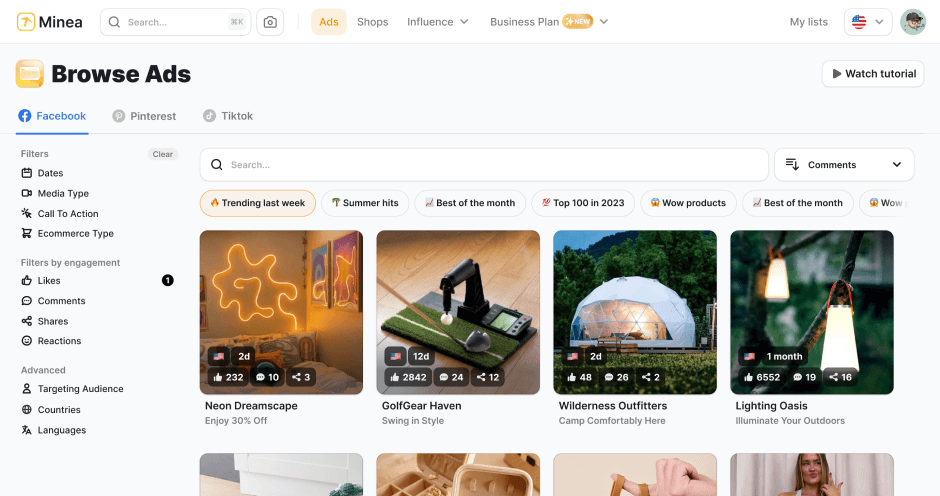
Find winning products on our Tiktok adspy today!
Find winning products on our Pinterest adspy today!
Find winning products on our Facebook adspy today!
Find winning products on our Tiktok adspy today!
Find winning products on our Pinterest adspy today!
Find winning products on our Facebook adspy today!
Find winning products on our Tiktok adspy today!
Find winning products on our Pinterest adspy today!
Find winning products on our Facebook adspy today!
Find winning products on our Tiktok adspy today!
Find winning products on our Pinterest adspy today!
Find winning products on our Facebook adspy today!
1 winning product everyday.
Follow us!



Our Free Adspys
Find winning products on our Tiktok adspy today!
Find winning products on our Pinterest adspy today!
Find winning products on our Facebook adspy today!
Find winning products on our Tiktok adspy today!
Find winning products on our Pinterest adspy today!
Find winning products on our Facebook adspy today!
Find winning products on our Tiktok adspy today!
Find winning products on our Pinterest adspy today!
Find winning products on our Facebook adspy today!
Find winning products on our Tiktok adspy today!
Find winning products on our Pinterest adspy today!
Find winning products on our Facebook adspy today!
1 winning product everyday.
Follow us!
Our Free Adspys
Find winning products on our Tiktok adspy today!
Find winning products on our Pinterest adspy today!
Find winning products on our Facebook adspy today!
Find winning products on our Tiktok adspy today!
Find winning products on our Pinterest adspy today!
Find winning products on our Facebook adspy today!
Find winning products on our Tiktok adspy today!
Find winning products on our Pinterest adspy today!
Find winning products on our Facebook adspy today!
Find winning products on our Tiktok adspy today!
Find winning products on our Pinterest adspy today!
Find winning products on our Facebook adspy today!
1 winning product everyday.
Follow us!




Find out more
Read more
Minea © 2025
Find out more
Read more
Minea © 2025
Find out more
Read more
Minea © 2025
Find out more
Read more
Minea © 2025
Find out more
Read more
Minea © 2025
Find out more
Read more
Minea © 2025
Find out more
Read more
Minea © 2025